
Heatmaps and session replays: see clicks instead of guessing
Numbers tell you that visitors leave – heatmaps and replays show you why. See which elements get attention, how far people scroll and where they get stuck.
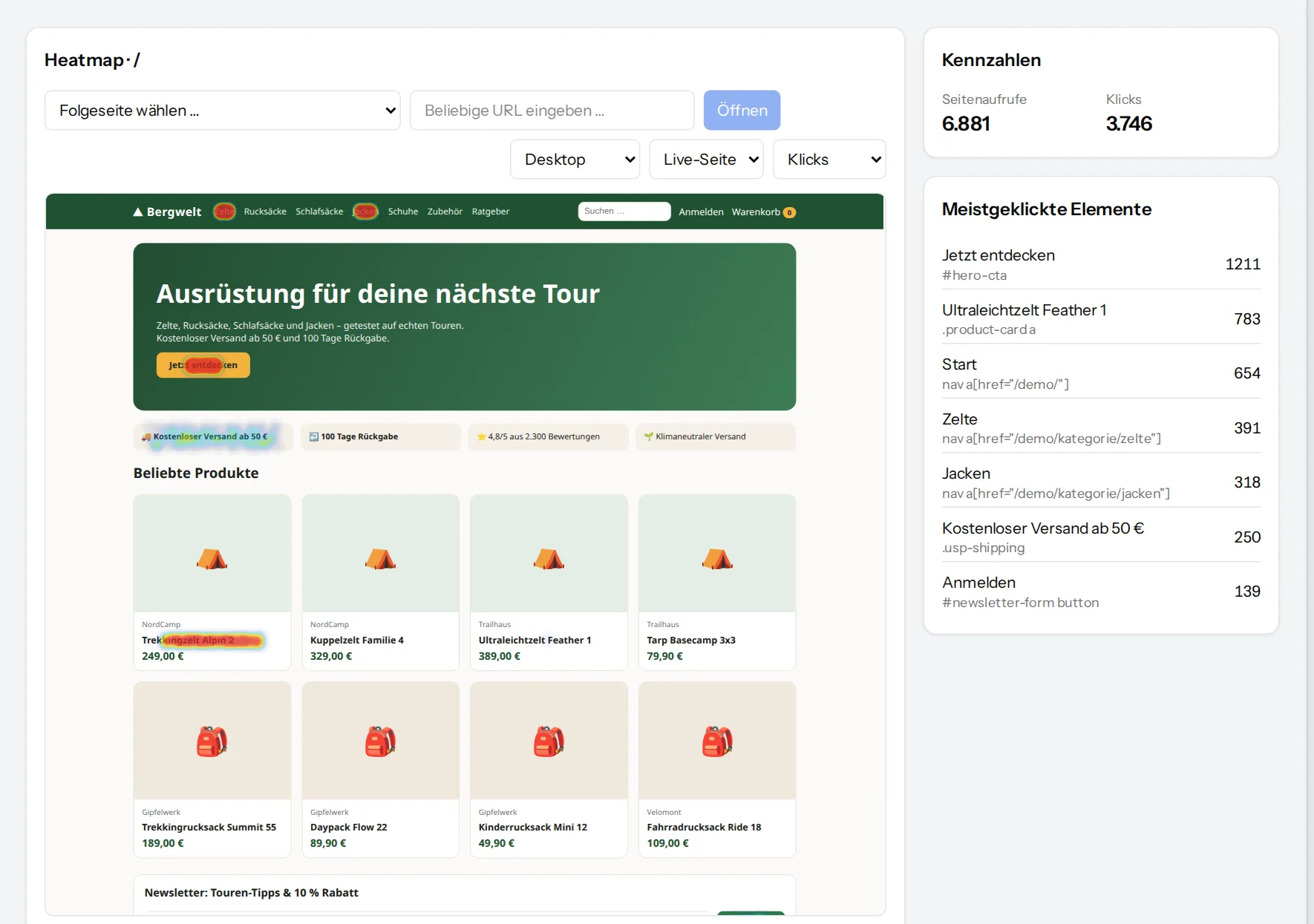
Click and scroll heatmaps on the live page
Pick a page by search or from the follow-up pages of the current one. VisualClicks loads a current copy without scripts and lays the clicks on top – every click is anchored to the element that was clicked, not to fixed screen coordinates.
- Separate for desktop, tablet and phone
- Click heatmap and scroll heatmap
- Live page or image view of the whole page
- Most clicked elements with their click counts
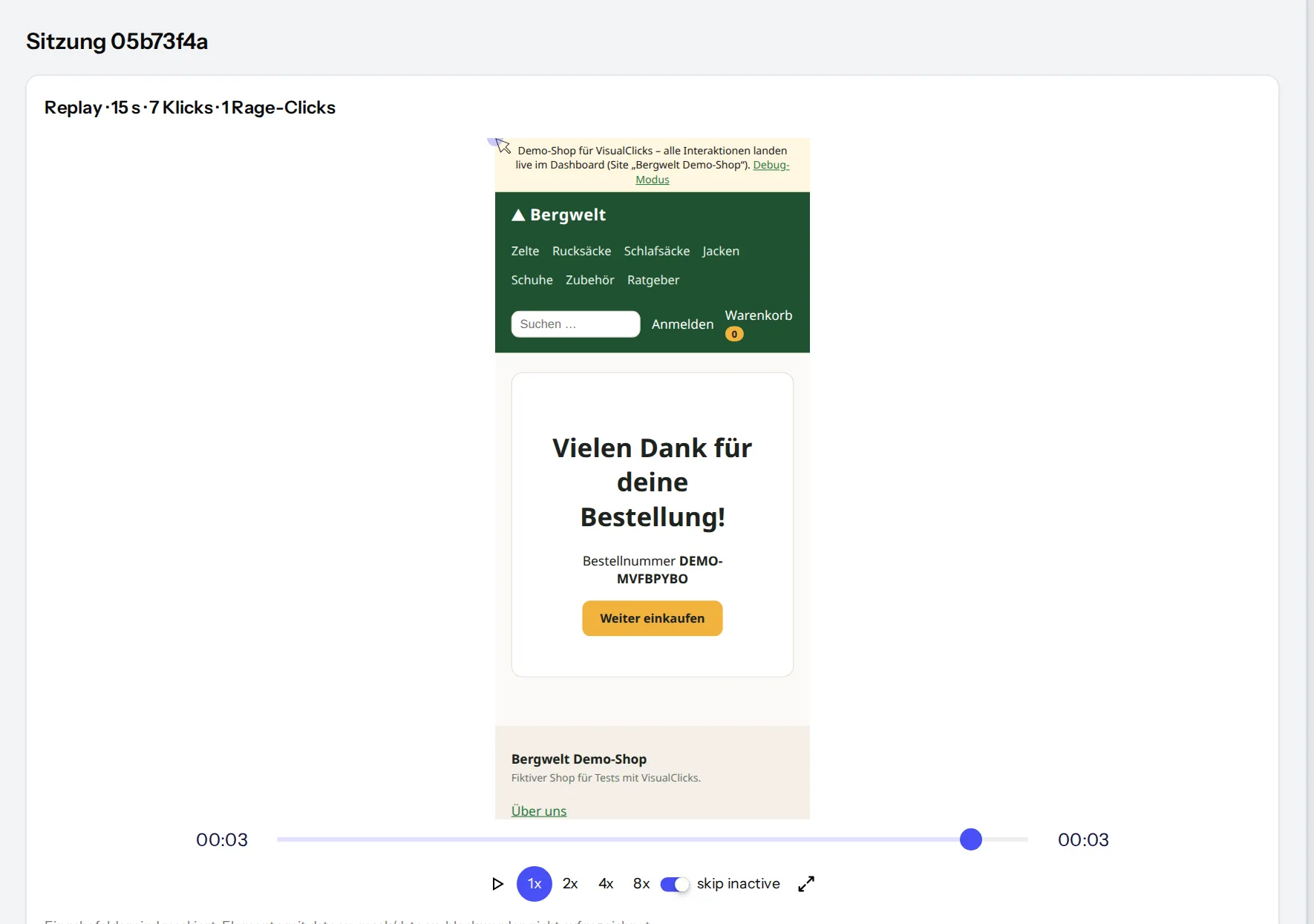
Watch sessions the way visitors experienced them
Replays show every movement, click and page change. Inactive phases are skipped and playback runs at up to 8×. Next to the replay you see the complete event timeline of the session.
- Rage clicks (rapid repeated clicks) and a frustration score per session
- Sort sessions by frustration, duration or revenue
- Source, device, location and consent status at a glance
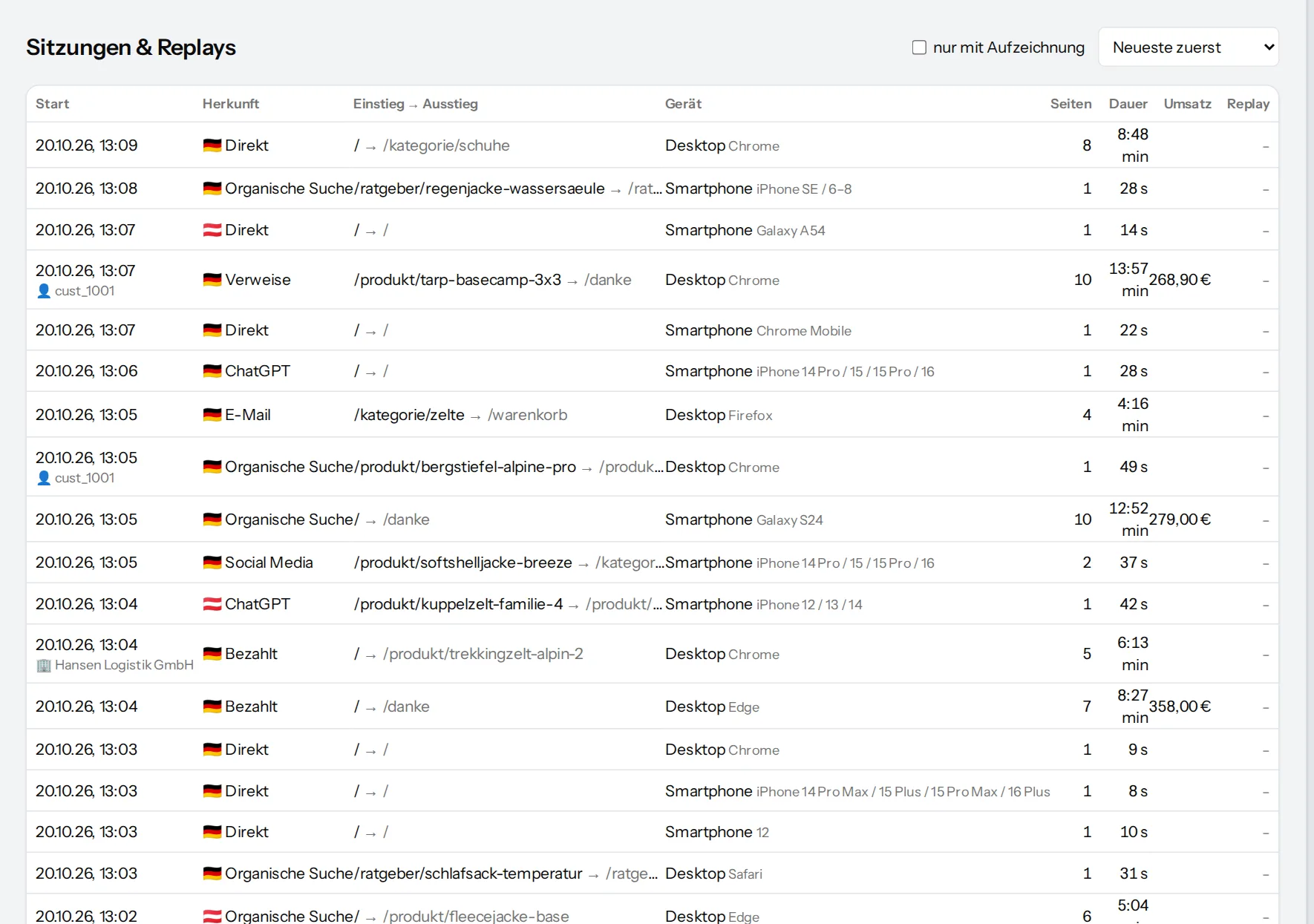
Every session with its timeline – even without a recording
Even without a recording, the session view shows what happened: which pages were opened in which order, how long people read and how far they scrolled, which events and purchases took place.
- Filters and segments as in every report
- Reachable directly from funnels, anomalies and reports
Recording with restraint
For replays, privacy is not an add-on but the default.
- Recording only starts after consent by default
- Input fields are always masked in the browser
- Further areas via CSS selector or data-vc-mask
- Browsers with Global Privacy Control (GPC) are never tracked
- Sampling rate for the recorded share
- Recording can be switched on and off per website
Frequently asked questions
Is a session replay a video?
No. What is recorded are changes to the page, mouse movements, clicks and scrolling; the replay rebuilds the page from them. That saves bandwidth and allows content to be masked in the browser already.
Are form inputs recorded?
No. The content of input fields is replaced by placeholders in the browser and never transmitted. You can mask further areas with a CSS selector or the data-vc-mask attribute.
Why does the heatmap sit on a live copy instead of a screenshot?
Because pages change and look different on every device. VisualClicks loads a current, script-free copy of the page and places every click on the element that was actually clicked – including its position within that element.
Does every session have to be recorded?
No. The sampling rate defines what share of sessions is stored as a replay. Clicks for heatmaps and all statistics are still captured for every session.
Find out where your visitors get stuck
Request your access. After that, one line of tracking code is all it takes – the first visits show up in real time.