
Understand what visitors really do on your website
VisualClicks combines web analytics, heatmaps, session replays, e-commerce reporting and an SEO check for your domain and URLs in one tool – with a single line of tracking code and no need for cookies.
- Tracking code
- ≈ 5 KB
- IP addresses
- never stored
- Data visible
- in real time
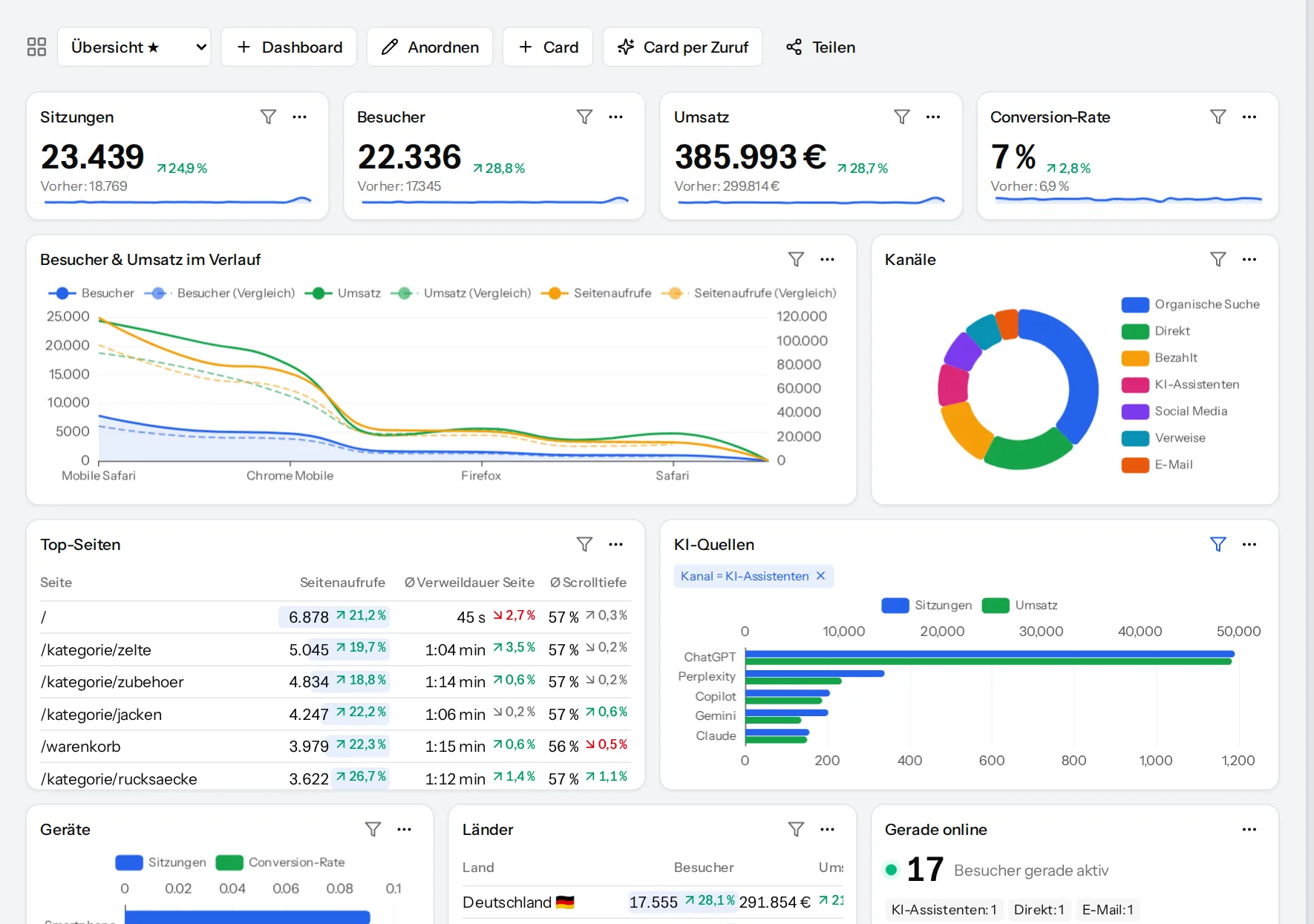
Everything you need to know about your website
From the first session to the order, from a click on a button to an expired certificate: numbers, visuals and concrete actions in one place.
Web analytics
Dashboards, reports, real time, goals, funnels and anomaly detection.
Learn moreHeatmaps & replays
Click and scroll heatmaps on the live page, sessions as replays.
Learn moreE-commerce
Revenue, products, cart abandonment and contribution margin per channel.
Learn moreSEO & domain check
Domain check, URL check with Core Web Vitals, rankings and competitors.
Learn moreAI visibility
Measure visits from ChatGPT & co. and AI crawler requests.
Learn morePrivacy built in
Cookieless mode, consent modes, masking and no stored IP addresses.
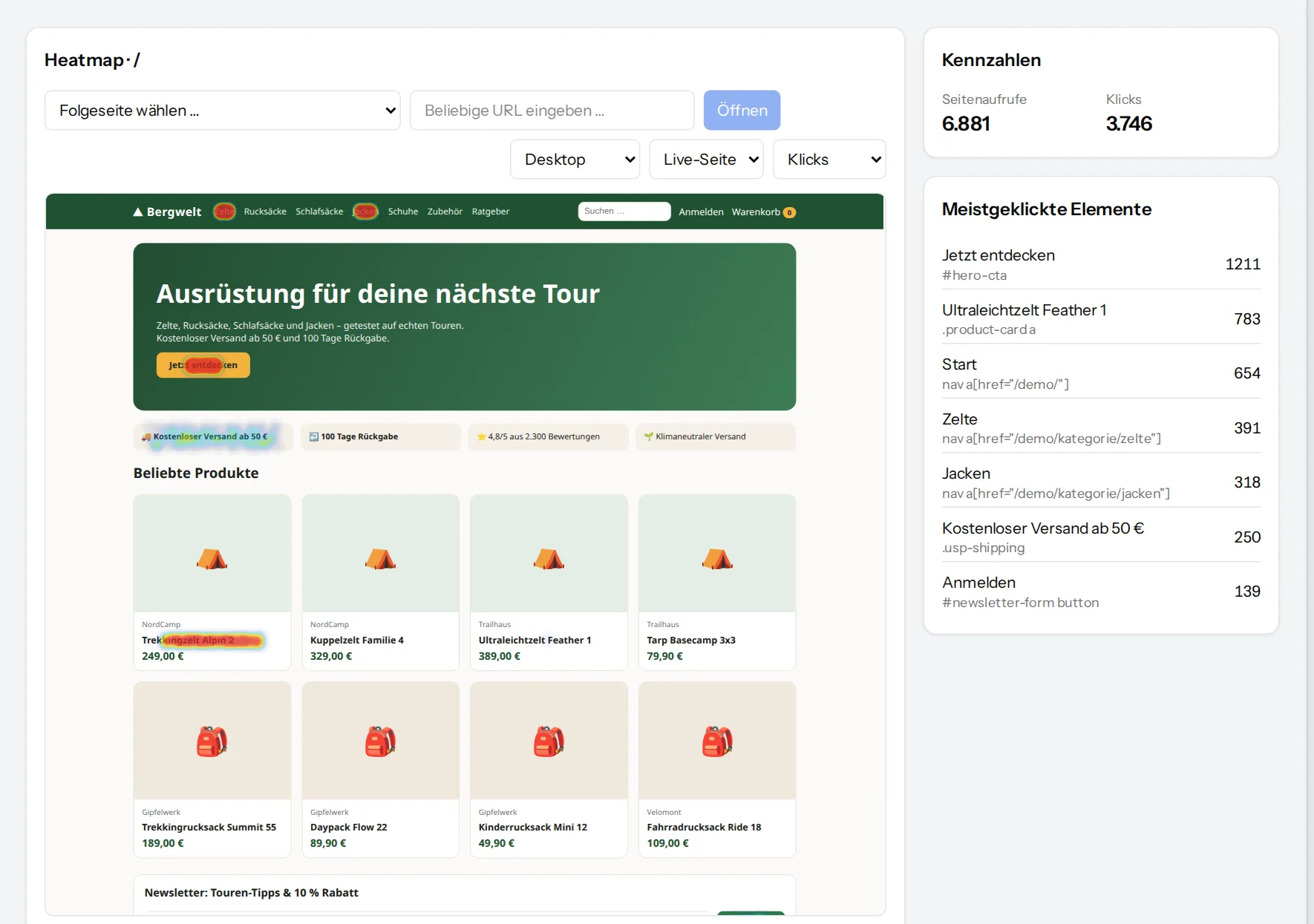
How we measureSee exactly where people click – on the real page
The heatmap sits directly on top of a live copy of your page, not an outdated screenshot. Every click is anchored to the element that was clicked, so it stays in the right place at other screen widths, too.
- Click and scroll heatmaps for desktop, tablet and phone
- Most clicked elements listed with their counts
- Open follow-up pages straight from the heatmap
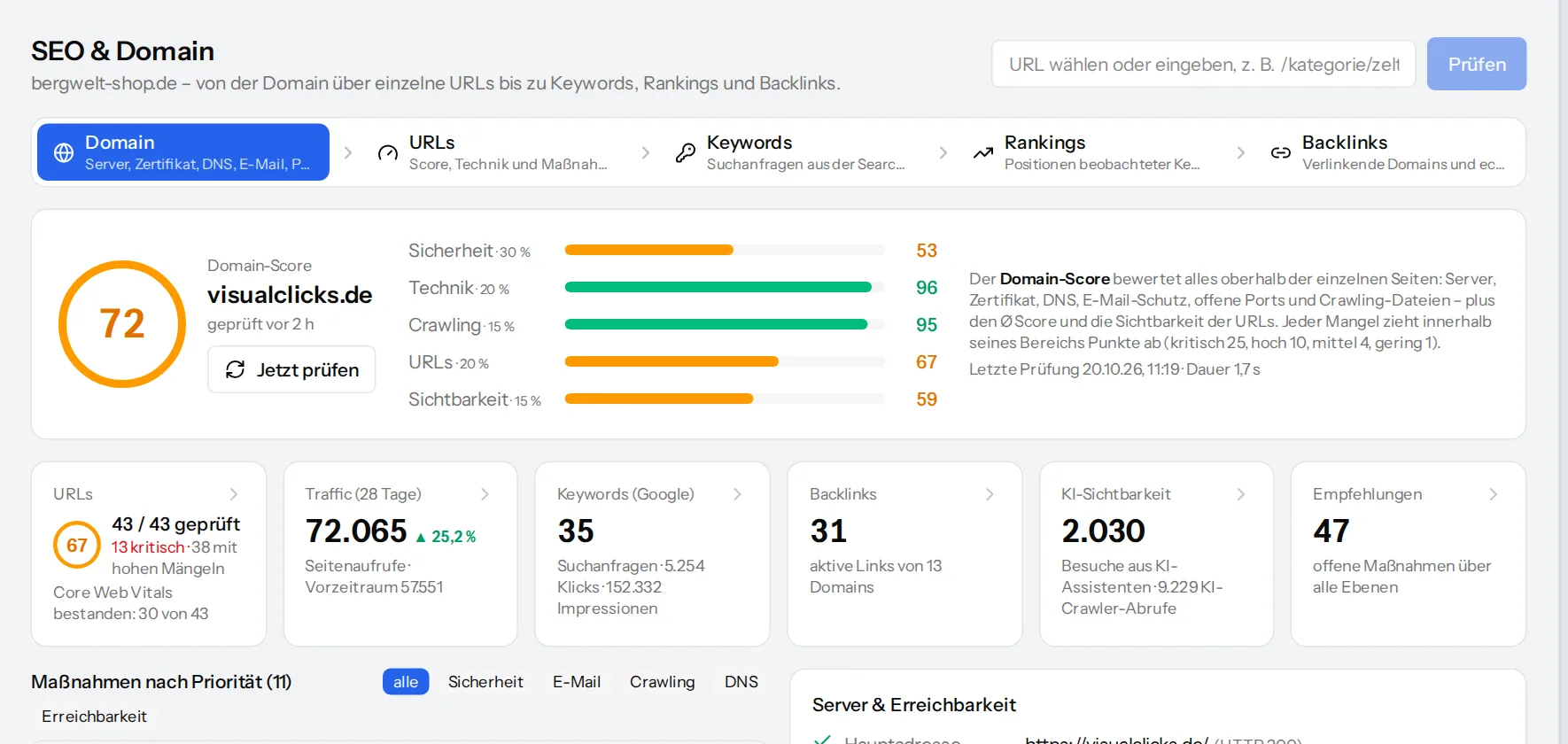
From the server down to each URL: what slows Google and visitors down
The domain check reviews certificate, DNS, e-mail protection, security headers, open ports and crawl files every day. Below that, the URL check rates every page for phone and desktop – with Core Web Vitals and actions sorted by priority.
- Domain score and URL score with a transparent calculation
- New URLs are found automatically through sitemaps and links
- Actions as recommendations and as a PDF
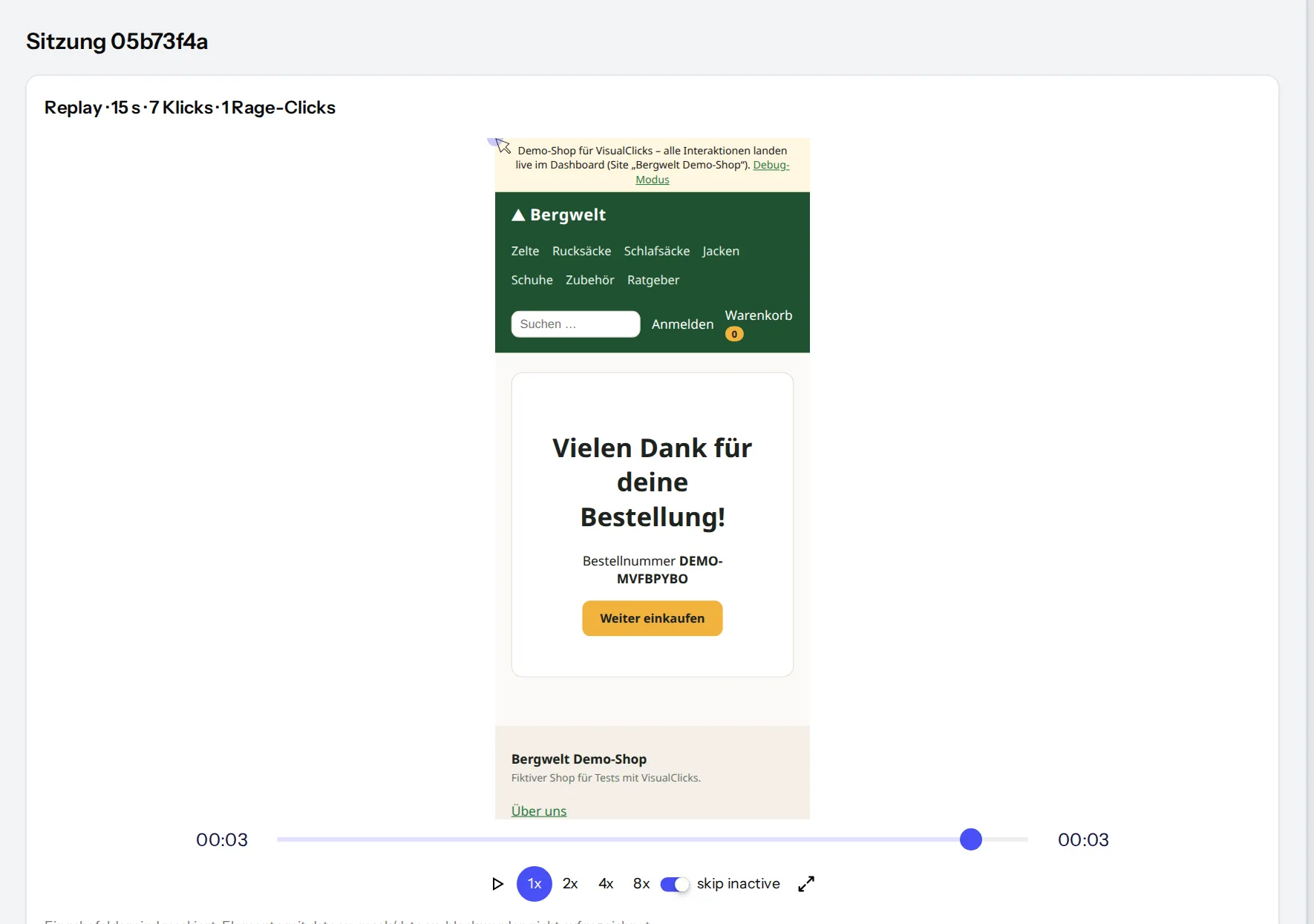
Experience sessions the way your visitors did
Replays show mouse movements, clicks, scrolling and page changes as a rebuild of the page – not a video, and with masked inputs. That is how you find out why a form was abandoned or a button was overlooked.
- Detect rage clicks and frustration and sort by them
- Event timeline of every session with reading time and scroll depth
- Skip inactive phases, play at up to 8× speed
How to get started with VisualClicks
-
1
Request access
Add your website, enter the domain, done. You decide on time zone, currency and privacy settings yourself.
-
2
Add the tracking code
One line in the <head> – visits appear in real time straight away. Add events, login and e-commerce through the API.
-
3
Act on the insights
Reports, heatmaps, replays and the SEO check show where things go wrong. Actions are prioritised under “Recommendations”.
Analyse together – with clear permissions
Invite colleagues and assign roles: viewers read, analysts build dashboards and funnels, admins manage the website and keys. You decide per person who may see personal data.
- Roles: viewer, analyst, admin and owner
- Share dashboards via link – no login needed for external people
- Several websites in one organisation

Frequently asked questions
Do I need a cookie banner for VisualClicks?
In cookieless mode VisualClicks sets no cookies and stores no IP addresses; visitors are only recognised within a single day. Whether your website as a whole needs a banner depends on every service you use – either way, VisualClicks can be connected to your consent manager.
How soon will I see the first data?
Right away. As soon as the tracking code is in place, visits show up in the real-time view; reports, heatmaps and funnels fill up with every further visit.
Does VisualClicks work with my CMS or shop system?
Yes, with any website that delivers HTML: the tracking code is a single line in the <head>. Single-page apps are detected automatically, and you pass e-commerce events through the JavaScript API or from your server.
Where is the data stored?
On servers in Germany. Location and device are determined when a request comes in; the IP address itself is never stored.
Can I use heatmaps and replays without consent?
By default, recording only starts after consent. If your privacy policy covers it, you can change this in the settings. Input fields are always masked, and browsers with Global Privacy Control (GPC) enabled are neither tracked nor recorded.
See your website through new eyes
Request your access. After that, one line of tracking code is all it takes – the first visits show up in real time.