
E-commerce analytics: from the first click to the contribution margin
Which products are viewed but not bought? Which channel brings revenue – and which one brings profit? VisualClicks follows the whole purchase process and calculates all the way to the contribution margin.
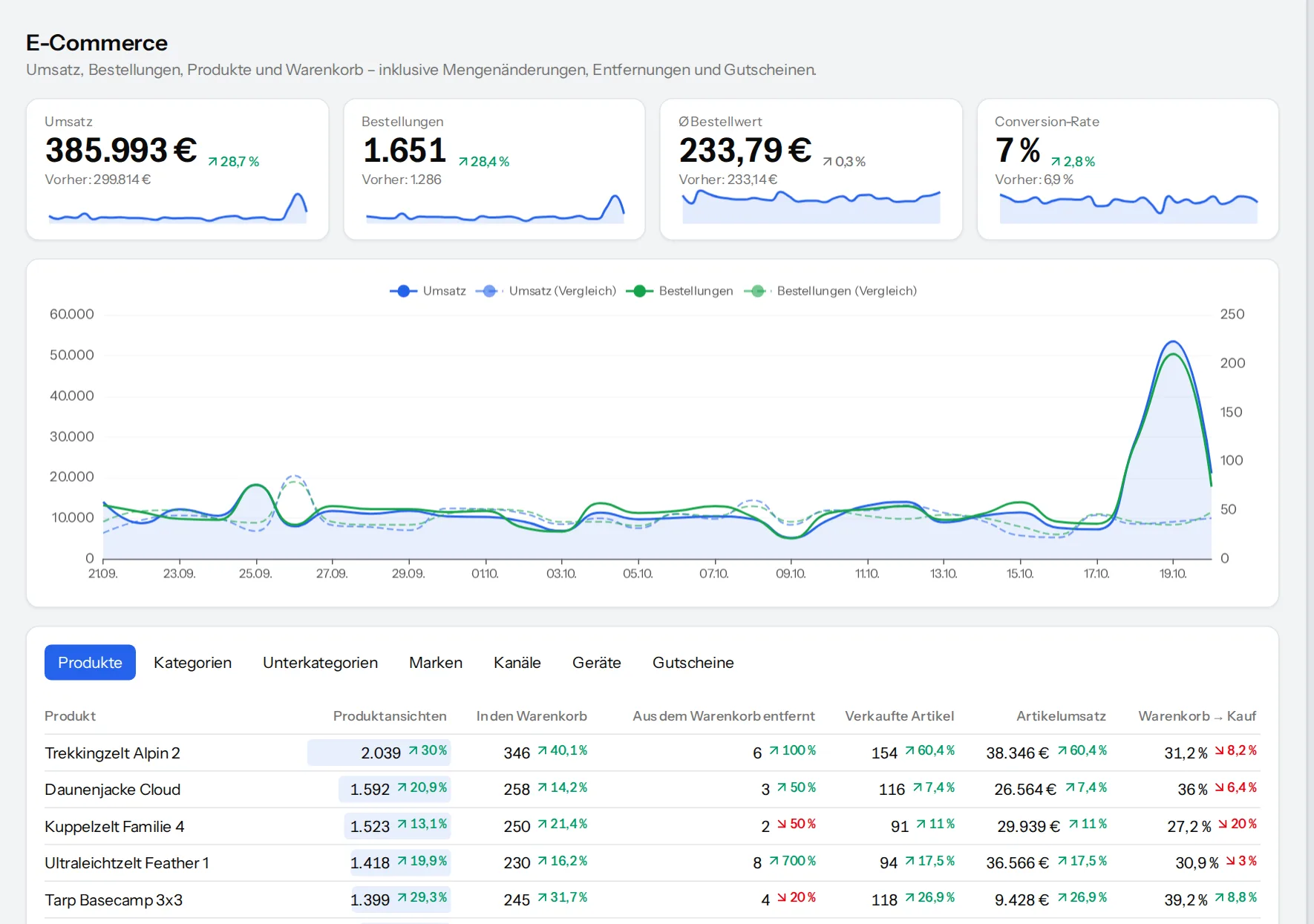
Every step of the purchase – in the browser and on the server
The JavaScript API follows the well-known Google Analytics 4 events: product view, cart, checkout, shipping, payment, purchase and refund. Your shop can additionally report orders from the server – the order number prevents double counting.
- Net and gross revenue, tax, shipping and coupons
- Products with brand and up to three category levels
- Refunds reduce revenue automatically
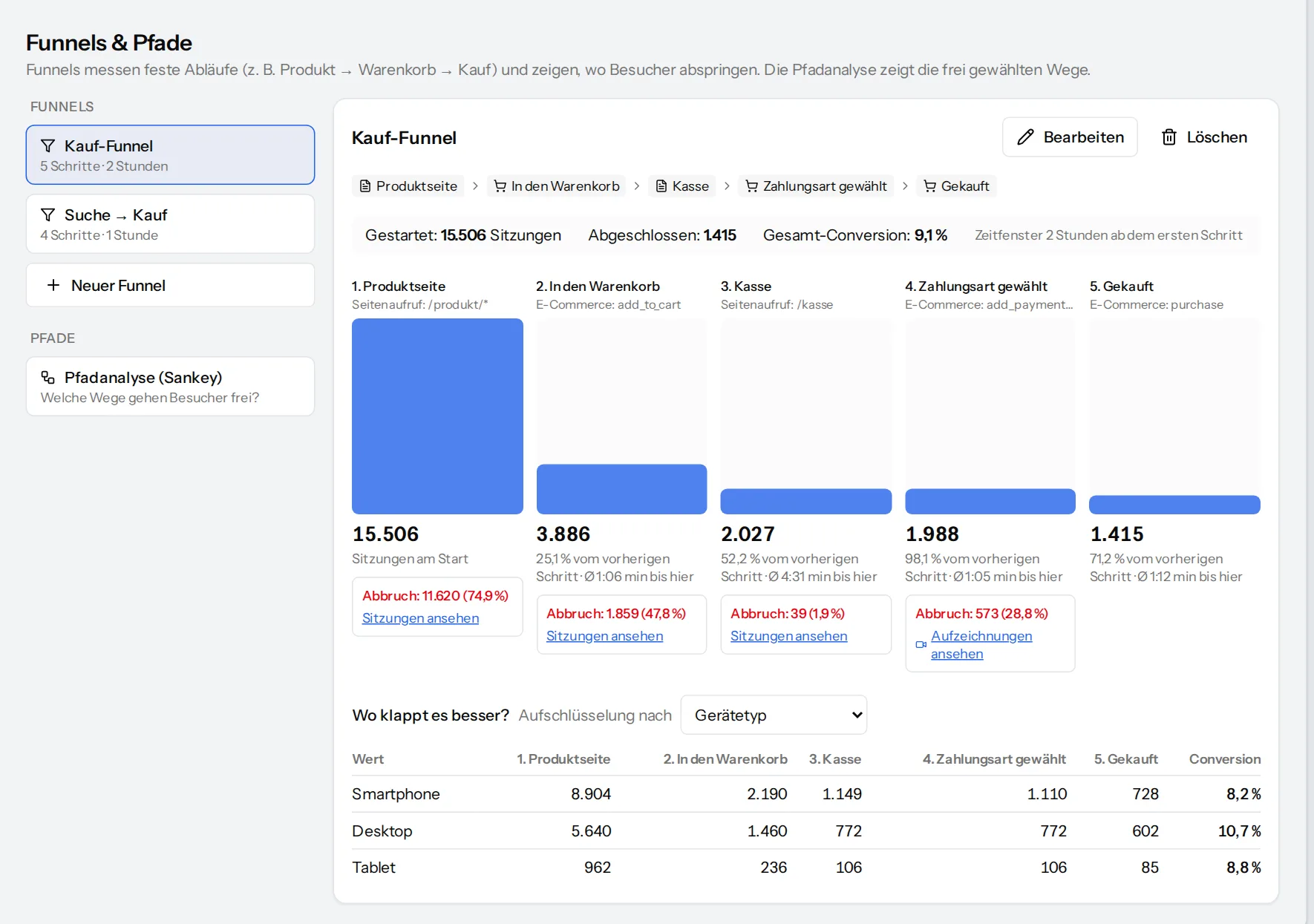
Find cart abandonment before it costs revenue
A purchase funnel shows for each step how many continue and how many drop off – broken down by phone, desktop or channel. One click shows you the sessions of those who left, as a replay where available.
- “Purchase funnel” template with the e-commerce events
- Conversion rate per device type and channel
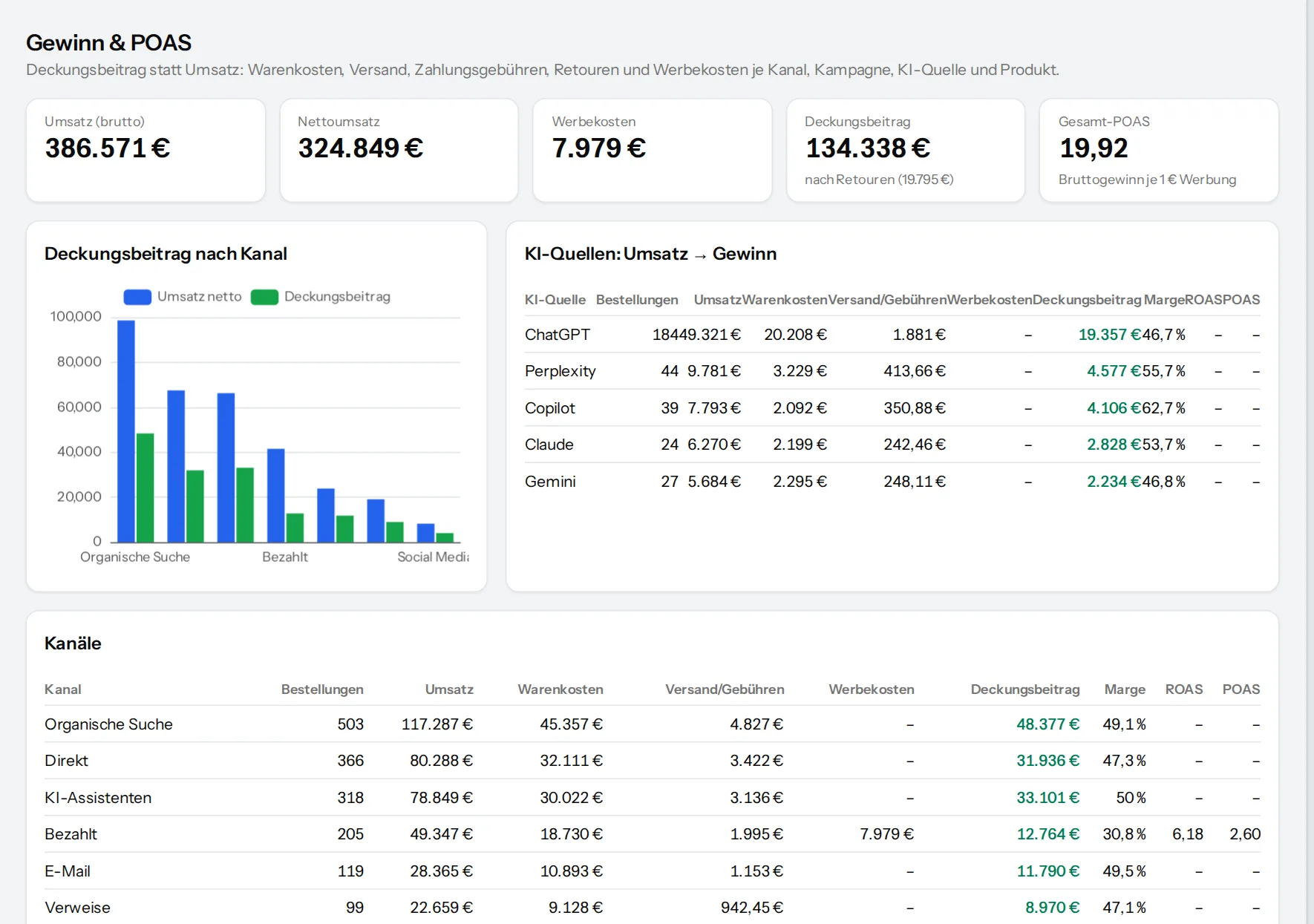
Contribution margin instead of revenue alone
Revenue alone is misleading. VisualClicks deducts cost of goods, shipping and payment fees according to your cost assumptions and shows the contribution margin per channel, campaign, AI source and product.
- VAT rate, shipping costs and payment fee configurable per website
- Contribution margin per channel, campaign and product
Understand phone shoppers
A large share of shop visits comes from phones. Compare conversion rates by device type, look at heatmaps of the mobile view and use the URL check to see how fast your product pages load on a phone.
- Heatmaps separately for phone, tablet and desktop
- Core Web Vitals for phone and desktop side by side

Frequently asked questions
Which e-commerce events are captured?
Product view, list view, add to, update and remove from cart, coupons, checkout, shipping and payment method, purchase and refund – with items, brand, up to three category levels, price, quantity and coupon.
Why also send orders from the server?
Ad blockers, abandoned thank-you pages or missing consent cost orders in the browser. Through the server API your shop reports every order itself; the order number makes sure nothing is counted twice.
What does the contribution margin show?
What remains of revenue after cost of goods, shipping and payment fees. A channel can bring in a lot of revenue and still earn little – the contribution margin per channel and product makes that visible.
Turn shop data into decisions
Request your access. After that, one line of tracking code is all it takes – the first visits show up in real time.