
Skip to content
VisualClicks
Features

Every tool for analysis, optimisation and visibility

VisualClicks covers what usually takes several tools: web analytics, heatmaps and replays, e-commerce, technical SEO and AI visibility – all on the same data and with the same filters.

Web analytics

Dashboards, reports, real time, goals, funnels and anomaly detection.

  • Drag-and-drop dashboards
  • Reports on channels, pages, devices, countries and events
  • Tree filters and segments
  • Real-time view
  • Goals and funnels with path analysis
  • Automatic anomaly detection
  • Consent gap: what consent-only tools miss
Web analytics in detail

Heatmaps & replays

Click and scroll heatmaps on the live page, sessions as replays.

  • Click heatmap on the live page
  • Scroll heatmap
  • Desktop, tablet and phone separately
  • Session replay with event timeline
  • Rage clicks and frustration
  • Input masking
Heatmaps & replays in detail

E-commerce

Revenue, products, cart abandonment and contribution margin per channel.

  • Events from product view to refund
  • Orders from your server, too
  • Revenue by channel, product, brand and category
  • Purchase funnel with drop-off rates
  • Contribution margin per channel and product
E-commerce in detail

SEO & domain check

Domain check, URL check with Core Web Vitals, rankings and competitors.

  • Domain check with domain score
  • URL check for phone and desktop
  • Core Web Vitals and page weight
  • Keyword rankings per location
  • Competitor comparison and visibility
  • Recommendations and PDF
  • Optimize: title, description and schema without CMS access
SEO & domain check in detail

AI visibility

Measure visits from ChatGPT & co. and AI crawler requests.

  • AI assistants as a channel of their own
  • Revenue from AI visits
  • AI crawlers via server API
  • Log import for crawler requests
  • robots.txt and llms.txt check
AI visibility in detail

Privacy & integration

How we measure – and how to connect VisualClicks.

  • Cookieless mode and consent modes
  • No stored IP addresses
  • Servers in Germany
  • Team roles and permissions for personal data
  • JavaScript API and server API
  • IP exclusions for internal traffic

One data set, many perspectives

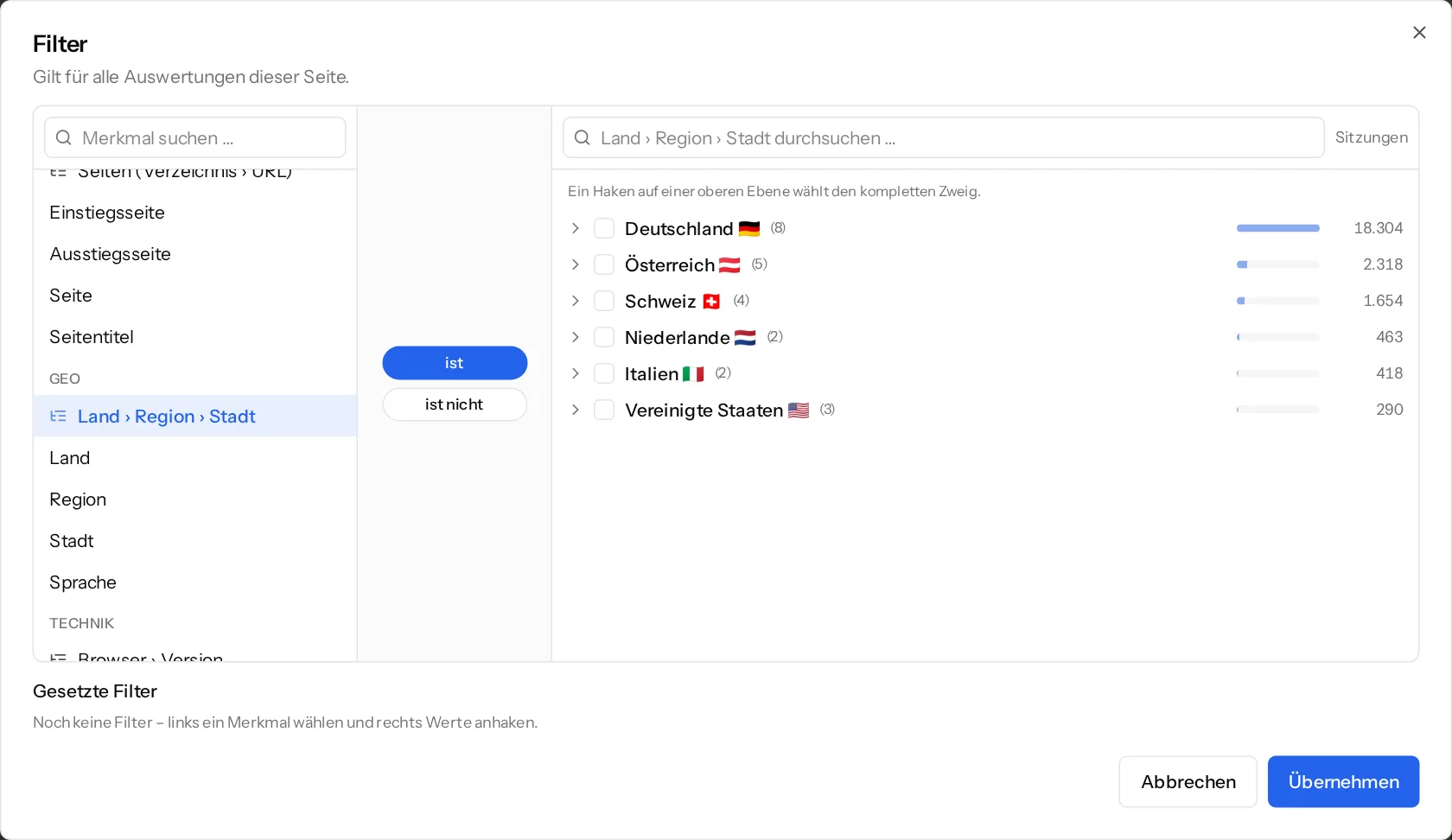
A filter applies everywhere: if you look only at visitors from Bavaria on a phone, you see that selection in reports, funnels, heatmaps and sessions alike. Goals are available as a metric in every report.

Country, region and city, manufacturer and model, or operating system and version are picked as a tree – one tick selects the whole branch.

Filter dialog with a tree for country, region and city

See your website through new eyes

Request your access. After that, one line of tracking code is all it takes – the first visits show up in real time.