
Web analytics that answers questions instead of just showing numbers
Where do visitors come from, what do they read, where do they leave – and what changed yesterday? VisualClicks answers that with your own dashboards, clear reports and funnels you set up in minutes.
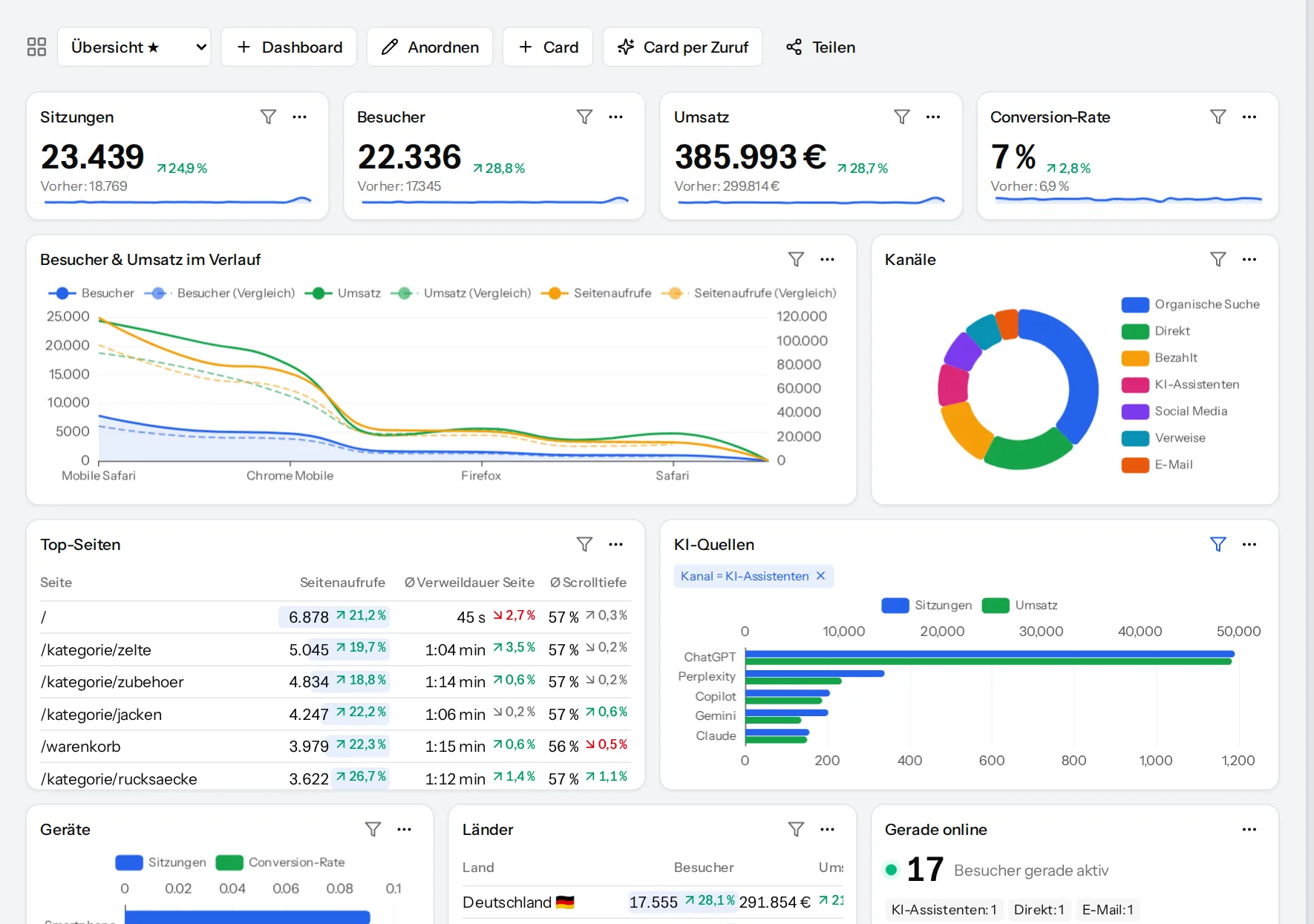
Your dashboard – built card by card
Build exactly the dashboard you need from key figures, trends, tables, maps and trees. Move and resize cards by drag and drop; each card can carry its own filter.
Share finished dashboards via link – clients or colleagues see them without an account of their own.
- Comparison with the previous period for every key figure
- Date ranges from today to the last 12 months
- Each card with its own filter, e.g. organic visitors only
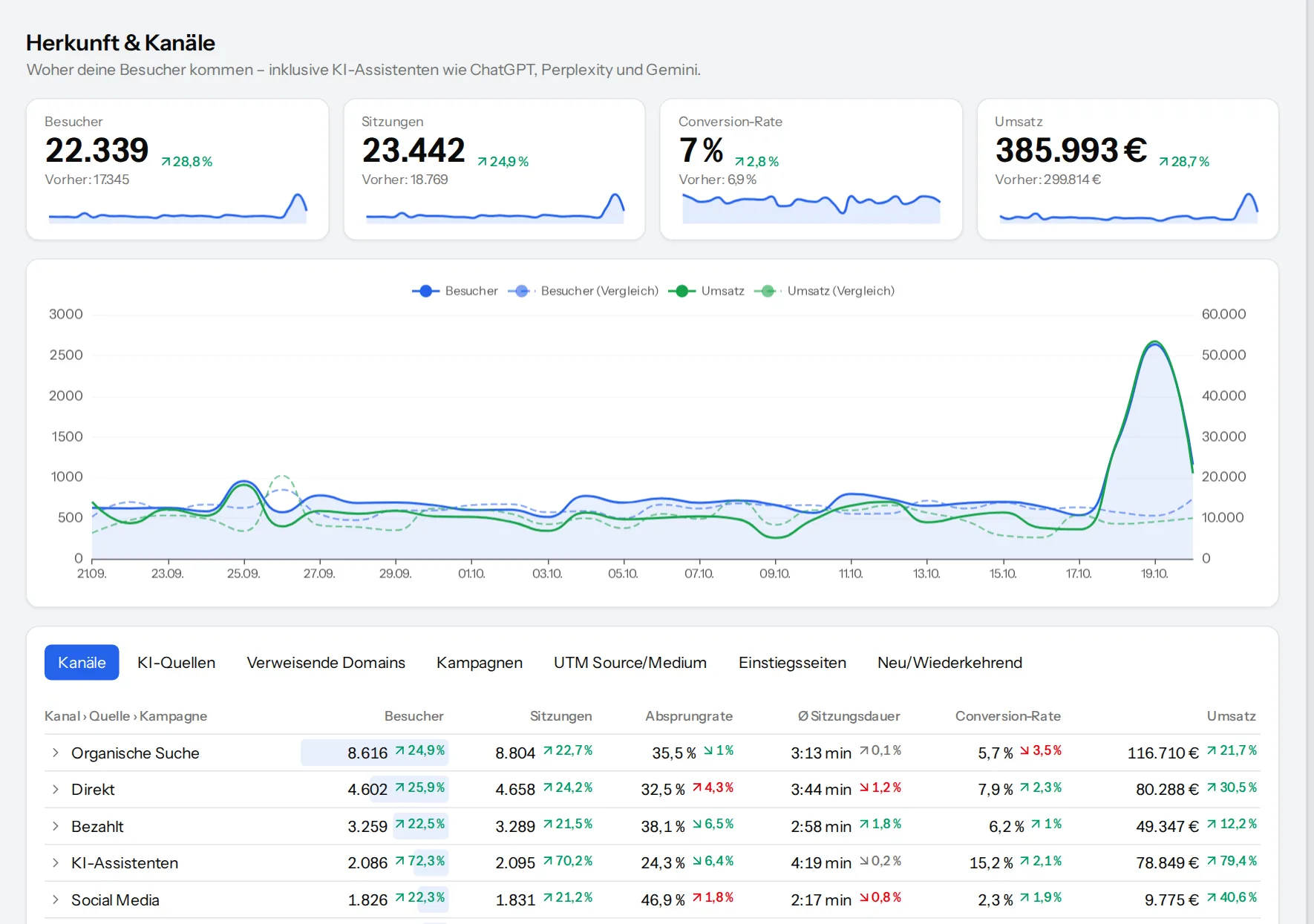
A report for every question
Every report uses the same filters and segments and can be broken down further with a click.
Acquisition & channels
Search, direct, social, referrals, e-mail, campaigns (UTM) and AI assistants as a channel of their own.
Content & pages
Views, time on page and scroll depth per page, landing and exit pages.
Devices & technology
Device type, manufacturer and model, browser, operating system and version.
Countries & languages
Country, region and city from a local database – nothing is passed on to third parties.
Events & properties
Your own events, such as searches or button clicks, with every property you send along.
Consent gap
Which visits and revenue only become visible thanks to cookieless measurement.
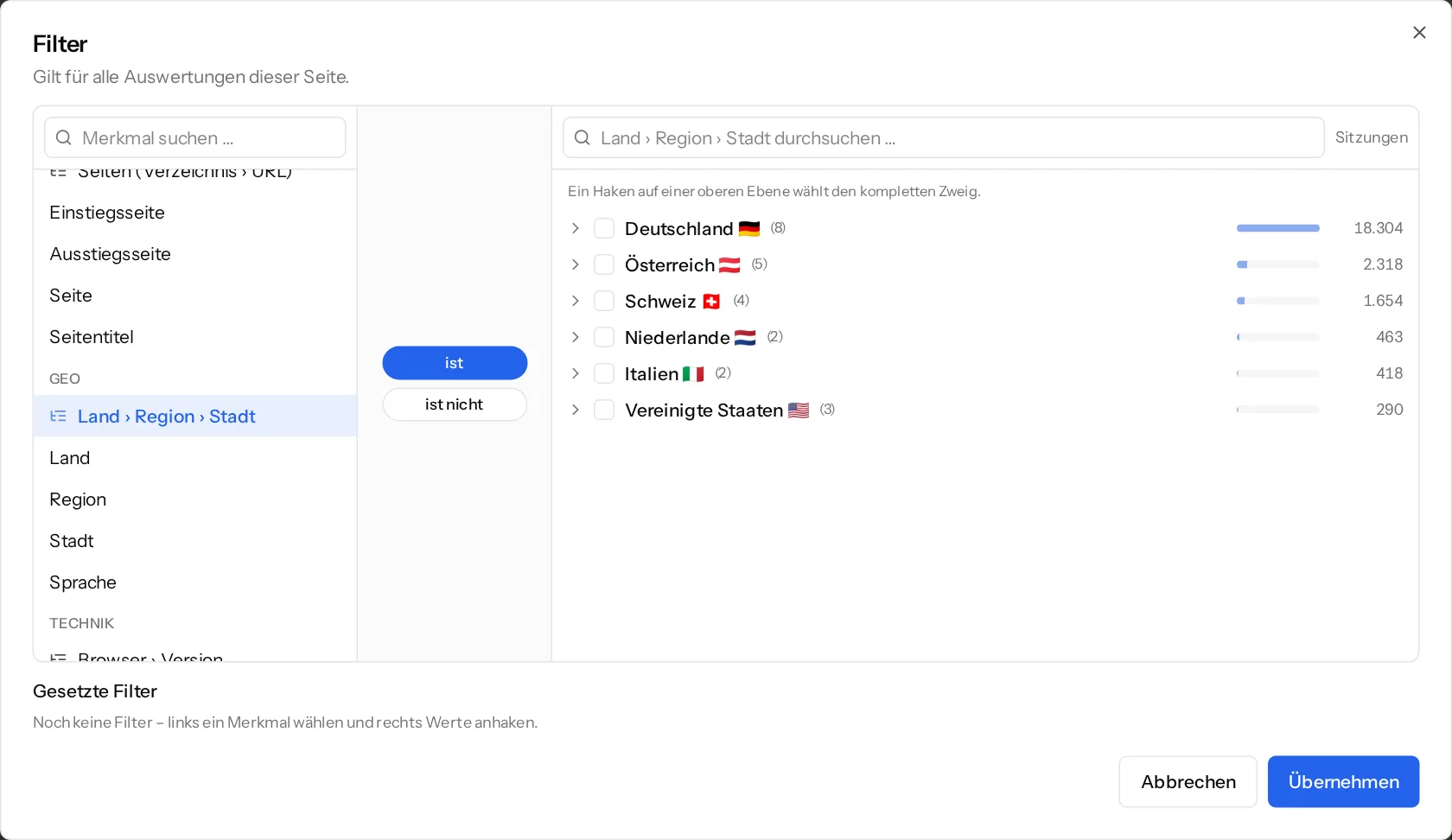
Filter like a tree – whole branches with one tick
Pick the dimension on the left, “is” or “is not” in the middle, the values on the right. For location, devices and operating systems the selection is a tree: Germany › Bavaria › Munich or Android › version – one tick takes the whole branch.
- Active filters stay visible and can be removed one by one
- Save as a segment and reuse it everywhere
- Filters apply to reports, funnels, heatmaps and sessions
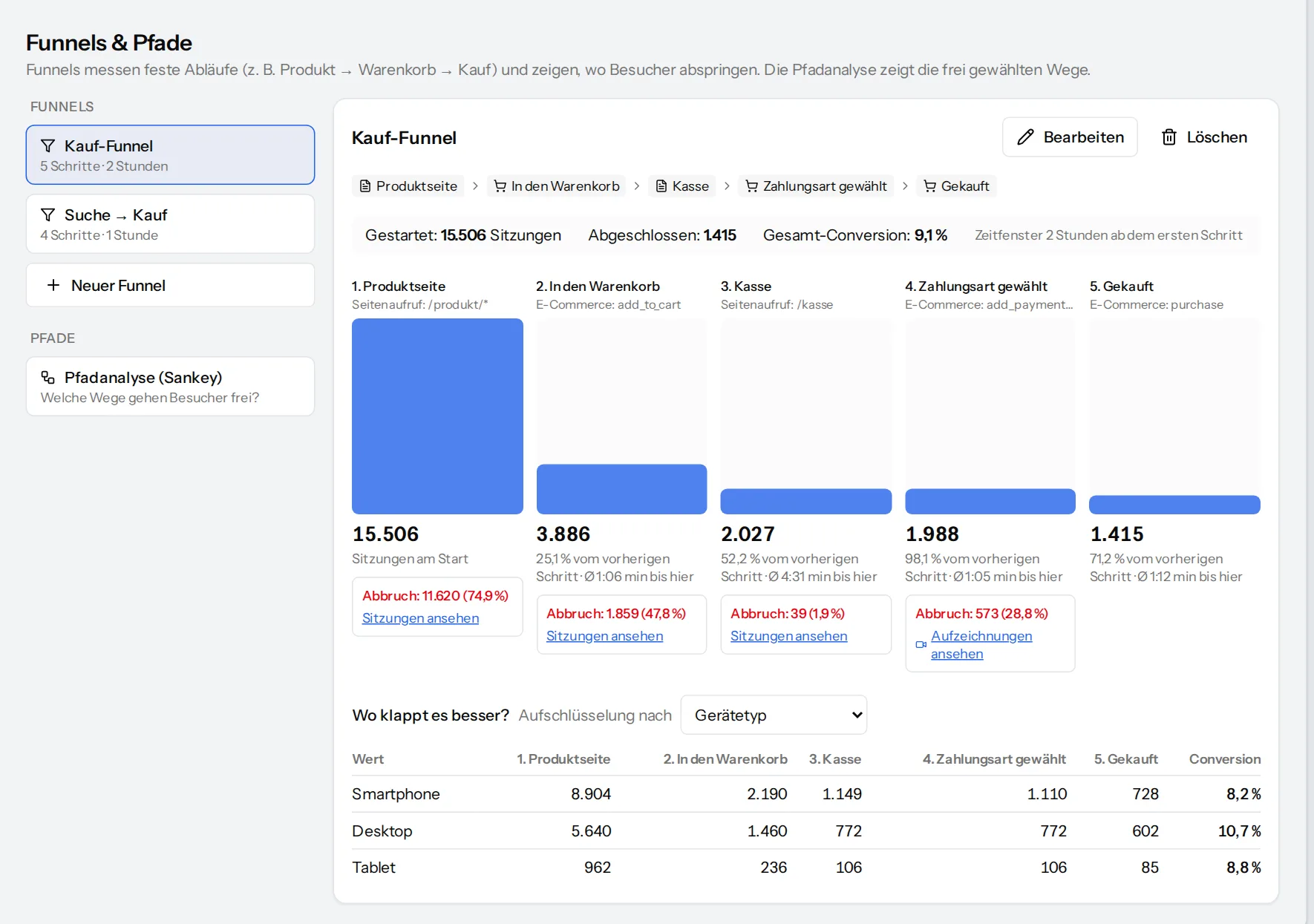
See at which step visitors drop out
A funnel describes a fixed sequence – product, cart, checkout, purchase. VisualClicks shows for each step how many continue, how many drop off and how long it takes. Path analysis reveals the routes people choose freely.
- Steps from pages (with wildcards) or events, templates included
- Breakdown by device, channel and other dimensions
- Open drop-offs directly as sessions and replays
- Goals as “goal” and “goal rate” metrics in every report
Know what is happening now – and what has changed
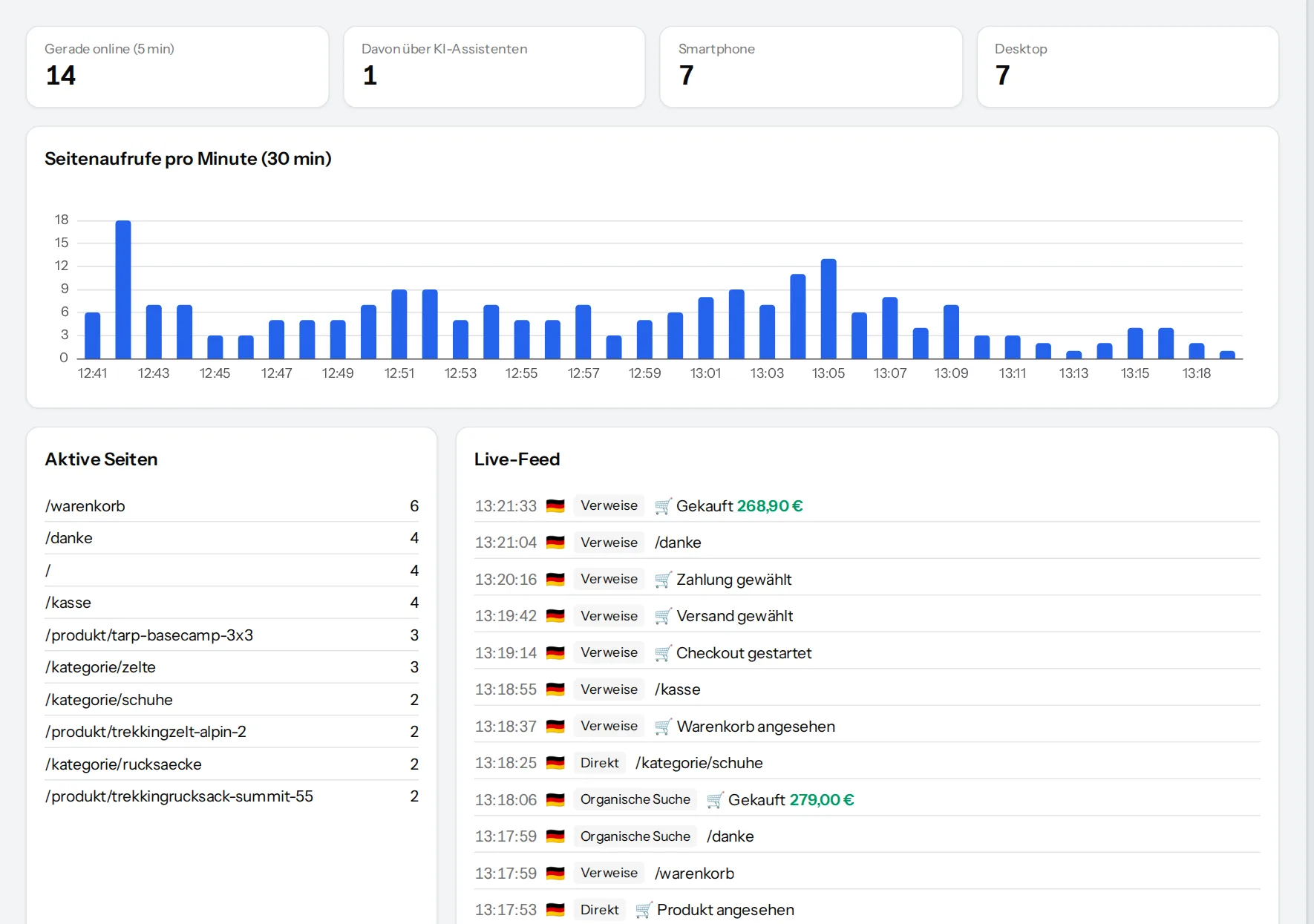
The real-time view shows active visitors, their pages and channels and updates continuously. Every morning VisualClicks also checks sessions, revenue, orders and AI traffic for outliers and explains them with their causes.
- Outliers with causes by channel, device, country and landing page
- Open the affected sessions with one click
- A notice as long as a website does not have enough data yet
Frequently asked questions
Which reports are there?
Acquisition & channels, content & pages, devices & technology, countries & languages, events & properties, e-commerce and the consent gap. Every report can be filtered, compared with the previous period and added to a dashboard as a card.
What is a segment?
A saved filter, such as “visitors from search on a phone”. You pick segments at the top of every view; reports, funnels and sessions then show only those visitors.
How does VisualClicks detect anomalies?
Every morning each day is compared with the typical value of the 21 days before it (a robust median). If a day stands out clearly, it appears together with its causes – for example a channel, device or landing page that makes the difference.
What does the consent gap show?
How many visits, orders and how much revenue are only visible because VisualClicks also measures cookieless without consent – the part that consent-only tools do not capture.
See your website through new eyes
Request your access. After that, one line of tracking code is all it takes – the first visits show up in real time.