
An SEO check from the domain down to the keyword
Technical SEO does not start with a single page: certificate, redirects, DNS and robots.txt matter, too. VisualClicks checks every level – domain, URLs and rankings – and tells you what to fix first.
-
Level 1
Domain
Server, certificate, DNS, e-mail, ports, crawling
-
Level 2
URLs
Score, Core Web Vitals and issues per page
-
Level 3
Rankings
Positions per keyword and location
-
Level 4
Competitors
Positions and visibility compared
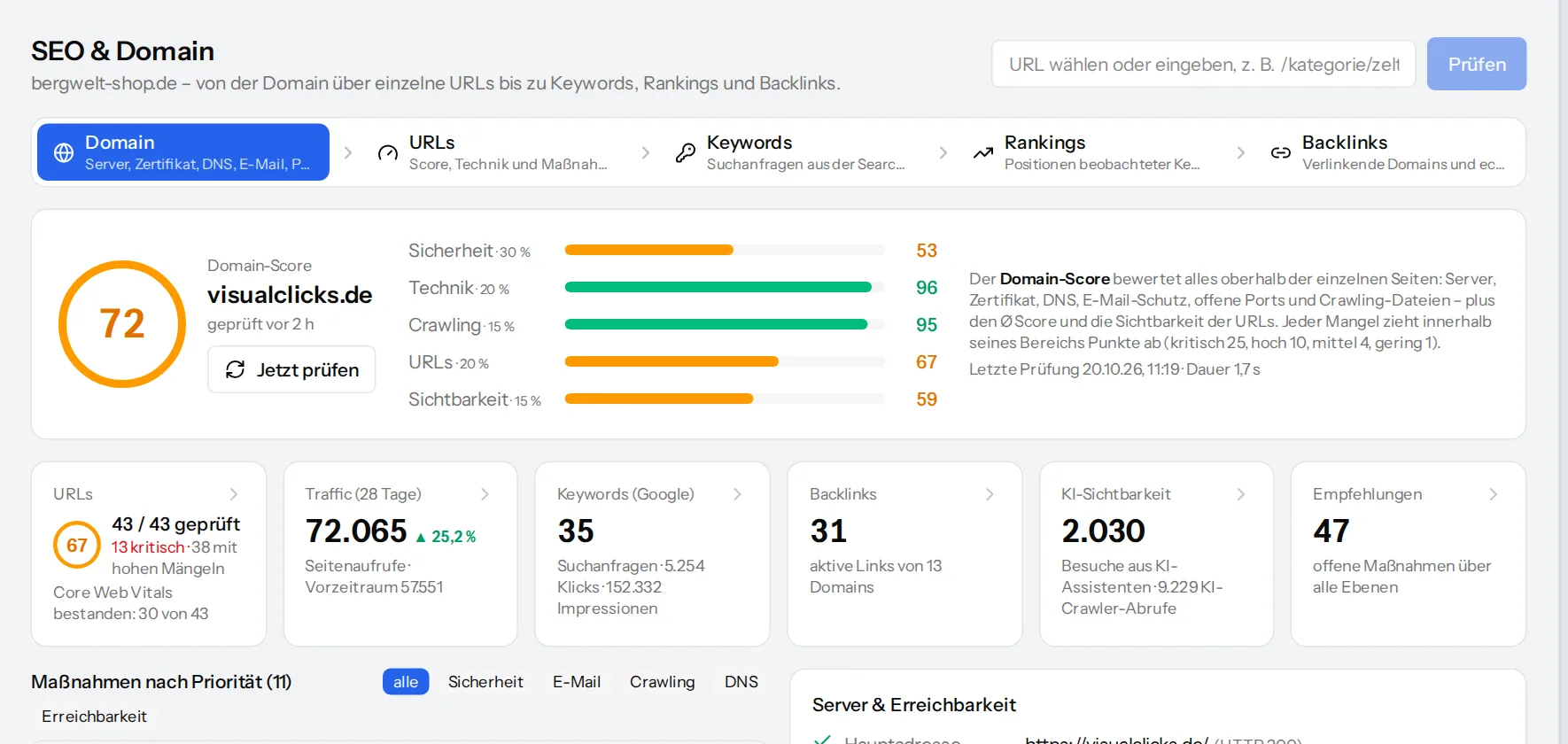
Domain score: what matters above individual pages
Every day VisualClicks checks the domain of each website and sums up the result in the domain score: security 30 %, technology 20 %, crawling 15 %, URLs 20 % and visibility 15 %. Every issue comes with an explanation, a severity and concrete steps to fix it.
- Certificate: issuer, remaining validity, coverage with and without www
- Security headers such as HSTS, CSP and X-Frame-Options
- E-mail protection: SPF, DMARC, spam blocklists
- robots.txt, sitemap, rules for AI crawlers and llms.txt
- Other domains on the same server IP
Every URL checked – on phone and desktop
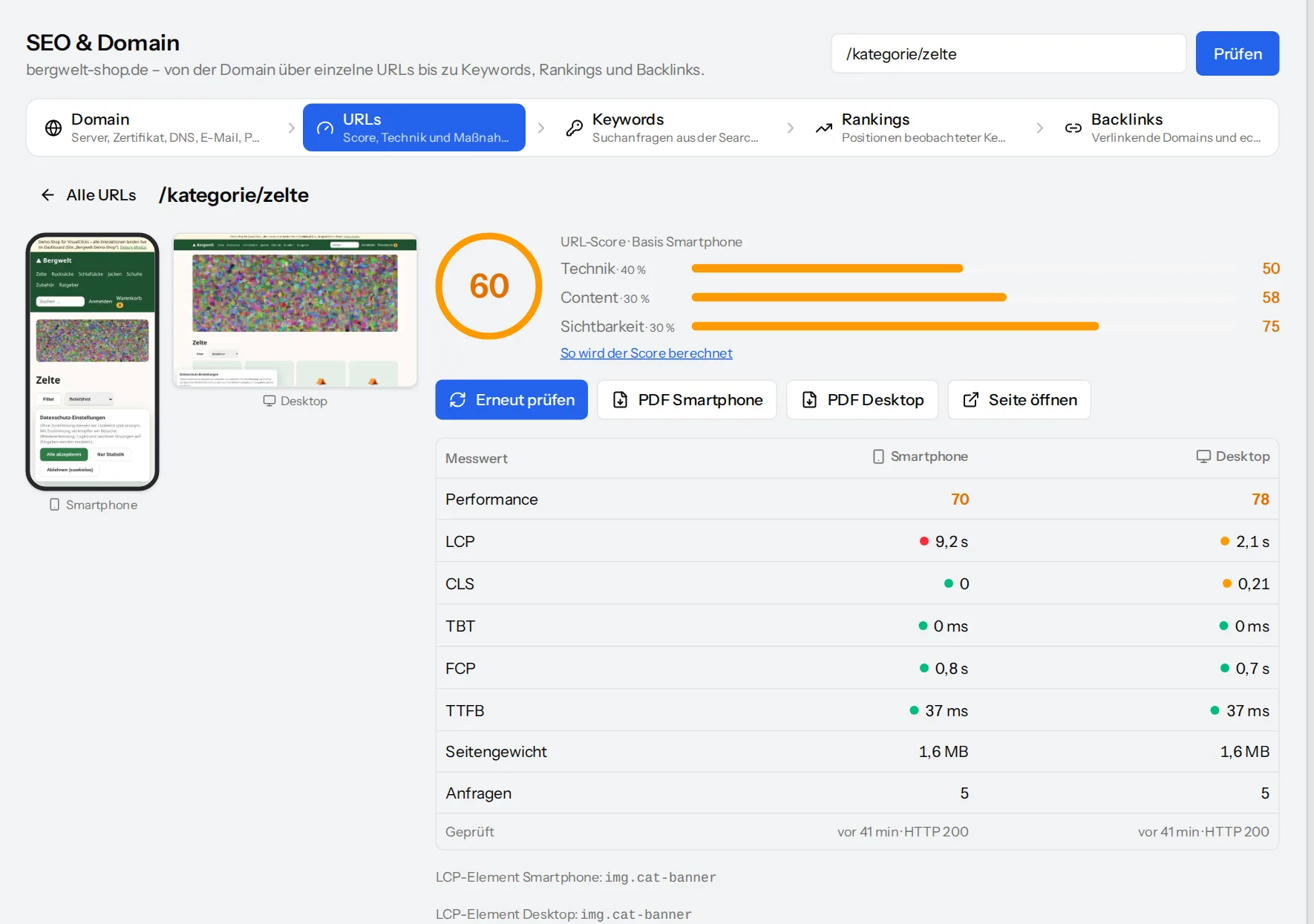
A dedicated test browser measures every page the way Google Lighthouse does: on a phone with a throttled connection, on desktop with a fast line. Both results sit side by side – performance, LCP, CLS, TBT, FCP, server response, page weight and requests.
VisualClicks finds new URLs through sitemaps and links on its own and checks them automatically, most visited pages first.
- URL score from technology, content and visibility
- Issues by priority P1 to P3 with steps to fix them
- Issues on many pages are grouped as a template problem
- Download the actions per device as a PDF
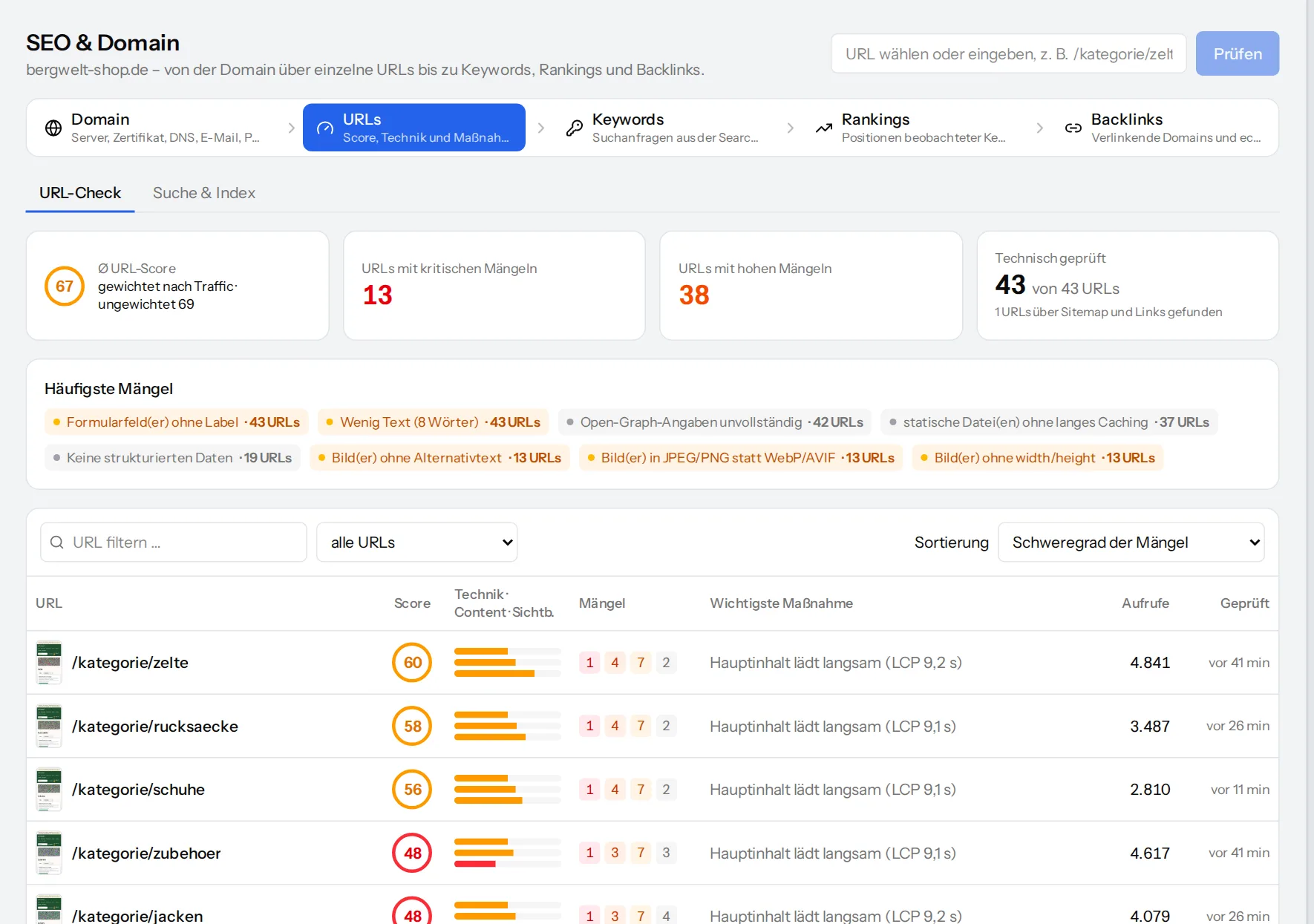
All URLs sorted by what needs doing
The URL list shows every known page with its score, the number of issues per severity, the most important action and page views. Sort by severity or by potential – weak pages with a lot of traffic first.
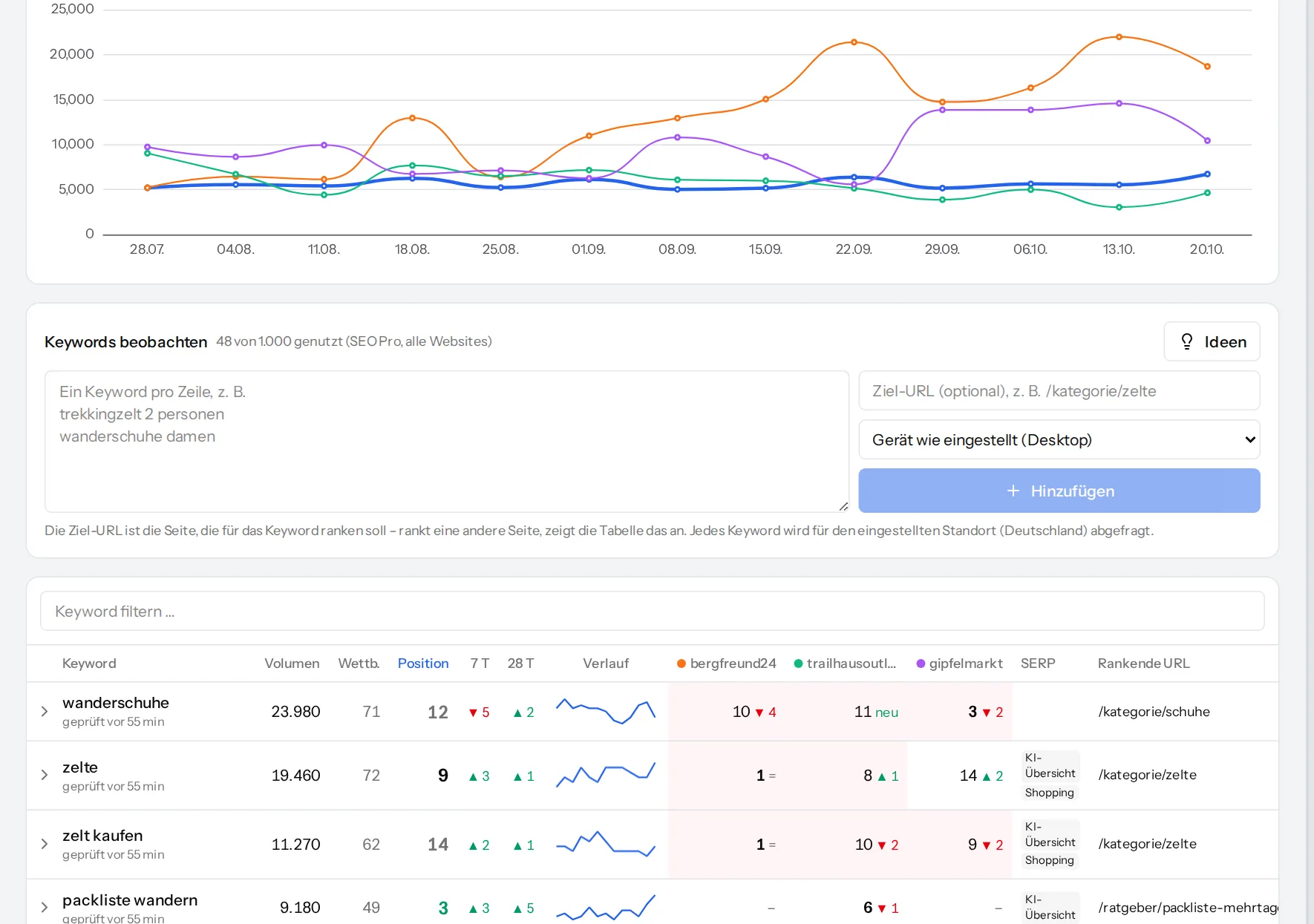
Keyword rankings for your location – compared with competitors
Add keywords, choose country, region or city, language and device, and VisualClicks queries the positions daily or weekly. Because each query contains the top results of all domains, you also see your competitors’ positions – retroactively, even if you add them later.
- Visibility trend: your domain against your competitors
- Change after 7 and 28 days, SERP features such as AI overviews
- A hint when a page other than the target URL ranks
- Competitor suggestions from the search results
From analysis to implementation
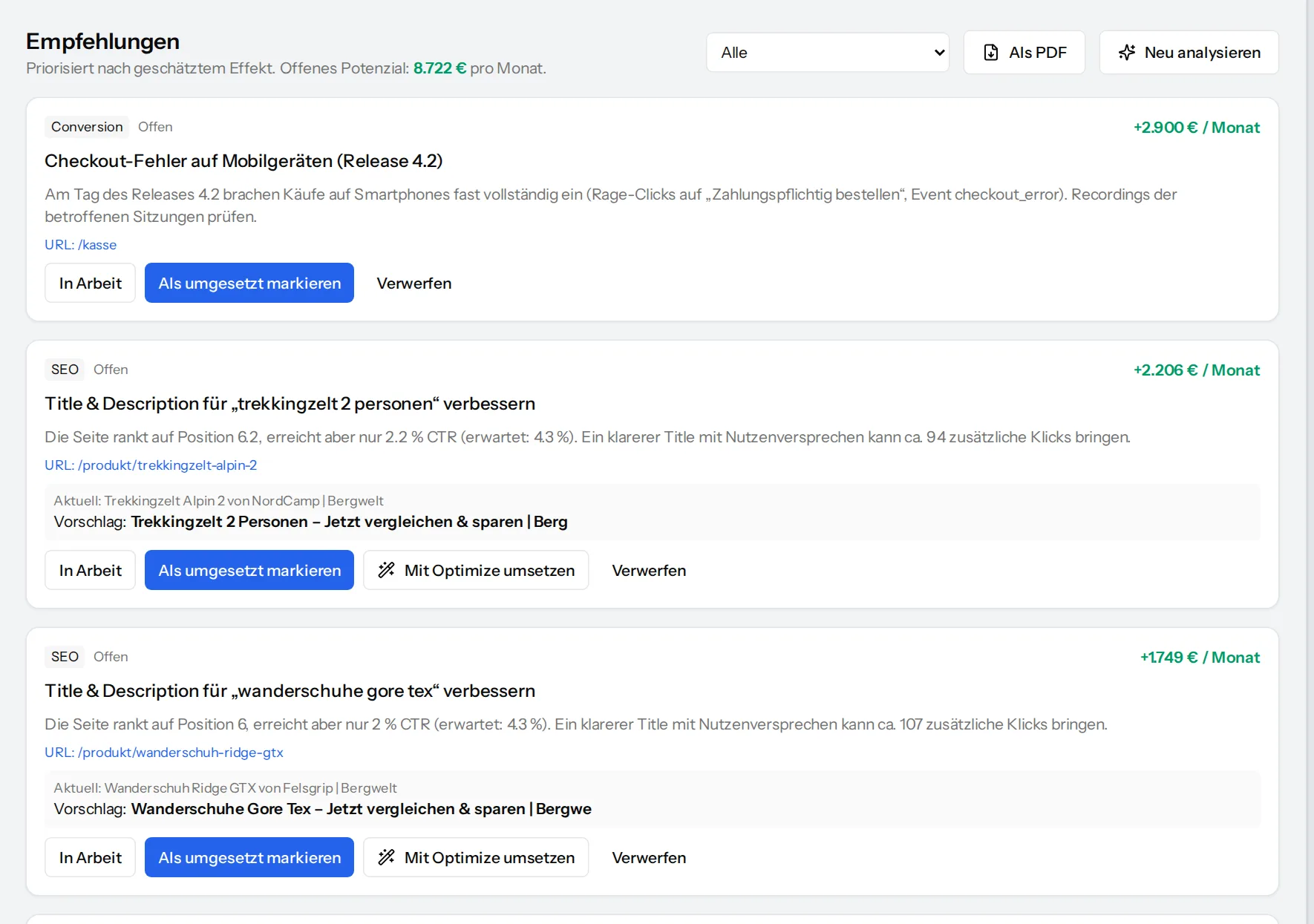
All important issues from the domain and URL checks land as recommendations in one list, with a status from “open” to “measured”. Once a problem is fixed, the next check closes the recommendation automatically. The list is also available as a PDF – handy when working with an agency or developers.
With Optimize you change titles, meta descriptions or structured data directly on the live page – without CMS access.
Frequently asked questions
What does the domain check cover?
Reachability and redirects (with and without www, http and https), response time, HTTP/2 and compression, the certificate, security headers, DNS including IPv6, CAA and DNSSEC, SPF and DMARC, spam blocklists, robots.txt, sitemap, llms.txt and security.txt, the domain expiry date and other domains on the same server IP.
Does the port check run attacks?
No. It only checks whether common ports accept a connection – no service detection and no attack attempts. And only for domains whose tracking code is verified, i.e. that demonstrably belong to you.
How is the URL score calculated?
From technology (40 %), content (30 %) and visibility (30 %). Technology combines the performance score with a deduction per issue, content rates on-page factors and user signals, visibility rates search, traffic and AI visits. The calculation is broken down for every URL.
Where do the rankings come from?
From queries of Google’s organic search via DataForSEO – for the location, language and device you choose. Each query contains the top results of all domains; that is also where your competitors’ positions come from.
What does Optimize do?
Optimize changes page titles, meta descriptions, structured data (JSON-LD) or texts on your live page through the tracking code – without access to your CMS. Rules apply to single pages or groups of pages and can be switched off at any time.
How healthy is your domain?
Request your access – the domain check runs a few minutes after you add your website.