
What Is Microsoft Clarity? Features, Heatmaps and GDPR
What is Microsoft Clarity? Learn how its free heatmaps and recordings work, which cookies it sets and what GDPR consent requires. Read the guide.
What is Microsoft Clarity? In short: a free behavior analytics tool from Microsoft that records sessions, builds heatmaps and summarises user behavior with AI – with no traffic limits and no sampling. That combination makes it one of the most widely installed tools of its kind. It also raises questions, especially if you have visitors from Europe: Clarity uses cookies, sends interaction data to Microsoft and, since October 2025, requires a valid consent signal for visitors from the EEA, the UK and Switzerland. This guide explains what Clarity does, how its heatmaps and recordings work, how data and cookies are handled under the GDPR, and when an alternative makes more sense.
What is Microsoft Clarity?
Microsoft Clarity is a user behavior analytics tool. You add a JavaScript snippet to your site, and Clarity captures how visitors interact with your pages: mouse movement, clicks, scrolling and page changes. From that it produces three kinds of output:
- Session recordings: replays of individual visits, so you can see where someone hesitated, clicked or gave up.
- Heatmaps: click, scroll and area heatmaps that show in aggregate which elements get attention and how far people scroll.
- Insights: automatic flags for problem behavior such as rage clicks (repeated, frustrated clicking), dead clicks (clicks that do nothing), excessive scrolling and quick backs.
On top of that sits Copilot in Clarity, an AI assistant that summarises heatmaps and recordings and answers questions about your dashboard in plain language. Microsoft itself notes that these AI takeaways are not expert recommendations and should be checked. You can switch Copilot off in the project settings.
Clarity is not a traffic analytics tool in the way Google Analytics is. It answers "what do people do on this page and where do they get stuck?" rather than "where do visitors come from and how much revenue do they bring?". That is why many teams run Clarity alongside a separate analytics tool.
Is Microsoft Clarity free?
Yes. According to the Clarity FAQ on Microsoft Learn, Clarity is free forever: there is no paid tier, no traffic limit and no sampling. You can create unlimited projects and invite unlimited team members.
There are still limits worth knowing before you rely on it:
| Topic | What Microsoft documents |
|---|---|
| Price | free, no credit card required |
| Traffic limit | none, no sampling |
| Recording retention | 30 days; favourited and a random sample of recordings up to 9 months |
| Heatmap basis | up to 100,000 page views per heatmap |
| Data storage | Microsoft Azure cloud |
| Microsoft's role | described in the FAQ as a "data controller" |
So "is Microsoft Clarity free?" has a simple answer: you don't pay with money. You pay with your visitors' interaction data going to Microsoft, and with the work of setting up consent correctly.
Microsoft Clarity heatmaps and recordings in practice
The Microsoft Clarity heatmap view is where most people start. You pick a URL, a date range and a device type, and Clarity overlays clicks or scroll depth on a snapshot of the page. Useful patterns to look for:
- Clicks on non-clickable elements (images, headings, icons) – a sign that visitors expect a link.
- Low scroll depth above key content – your important block may sit too far down.
- Clusters of rage clicks – usually a broken button, slow response or confusing UI.
Recordings then explain the "why" behind a heatmap pattern. A practical workflow: filter recordings by rage clicks or by a specific page, watch five to ten sessions, write down the recurring problem, fix it, and compare the heatmap a few weeks later.
Two things to keep in mind. First, the page image behind a heatmap comes from a sample impression, so images that did not load in that impression may be missing. Second, recordings are kept for 30 days by default, so save the ones you need as favourites.
What data and cookies does Clarity use?
Clarity captures how a page renders and how visitors interact with it. Text typed into input fields is masked in every masking mode, and you can mask additional areas manually (for example with the data-clarity-mask="true" attribute).
To stitch page views into sessions and sessions into users, Clarity sets cookies. Microsoft documents the following:
| Cookie | Type | Purpose according to Microsoft |
|---|---|---|
_clck |
first-party | stores the Clarity user ID and preferences |
_clsk |
first-party | connects several page views into one recording |
CLID |
third-party | identifies the first time Clarity saw this user on any Clarity site |
MUID |
third-party | identifies browsers across Microsoft sites, used for advertising, analytics and operations |
ANONCHK, MR, SM |
third-party | helper cookies around MUID synchronisation |
Microsoft describes these cookies as non-essential. That single word matters most for the legal assessment.
On data transfers, Microsoft states that customers in the EU contract with Microsoft Ireland Operations Limited, which uses standard contractual clauses to transfer data to Microsoft Corporation in the United States. So even though your contract partner is in Ireland, there is a US link.
Microsoft Clarity and GDPR: what it means for consent
In the EU, two sets of rules apply together:
- The ePrivacy Directive (Art. 5(3)), implemented in national laws, covers storing information on or reading it from a user's device. That requires consent unless it is strictly necessary for a service the user explicitly requested.
- The GDPR governs the processing of personal data that follows – recordings, IDs and data linked to IP addresses.
Analytics and recording cookies are not strictly necessary for visiting a website. In practice, running Clarity with cookies for EU visitors therefore requires prior, freely given consent through a cookie banner. Microsoft's own terms also require you to tell your visitors that you use Clarity.
For Microsoft Clarity GDPR compliance, your privacy notice should cover the purpose, the cookies, Microsoft as a recipient, the US transfer, retention and how to withdraw consent. Also bear in mind how detailed recordings are: the more content you leave unmasked, the more sensitive they become.
Note: this article is not legal advice. Check your specific setup with your data protection officer or a lawyer.
Clarity consent mode: what changed on 31 October 2025
Microsoft has turned the consent question into a technical requirement. Since 31 October 2025, Clarity requires a valid consent signal for page visits from the European Economic Area, the UK and Switzerland to provide full functionality. Consent mode is enabled by default for visitors from these regions, and it is the visitor's location that counts, not yours.
According to the Consent API v2 documentation:
- Consent granted: Clarity sets first- and third-party cookies and can track users across sessions.
- Consent denied or not sent: Clarity runs in "no-consent mode" with limited tracking, sets no cookies and assigns a unique ID per page view. Multi-page sessions and returning-visitor recognition are lost.
- Consent withdrawn: Clarity deletes existing cookies, ends the session and restarts in no-consent mode.
Your consent banner passes the decision like this:
window.clarity('consentv2', {
  ad_Storage: "granted",
  analytics_Storage: "granted"
});
The older window.clarity('consent', true) call is planned for deprecation. Supported consent management platforms send the signal for you.
How to test your setup
Microsoft suggests a simple check: clear your site's cookies, load the page, decline consent, and confirm there are no _clck or _clsk cookies in the browser. You can also query Clarity's current consent status from the browser console.
What no-consent mode does not solve
Even without consent, the Clarity script keeps running and sends data to Microsoft. Whether that processing is lawful without consent is a separate question: Art. 5(3) ePrivacy covers reading information from a device, not only cookies, and the GDPR still needs a legal basis for sending data to a provider with a US link. Don't assume "no cookies" automatically means "no banner".
Checklist: running Clarity in a privacy-friendly way
- Keep consent mode on and pass the decision with
consentv2or through a supported CMP. - Test with cleared cookies that nothing is stored before consent.
- Use Strict or Balanced masking and mask account pages, addresses and order details on top.
- Check URL parameters for e-mail addresses or order numbers and have them masked (Microsoft handles this via Clarity support).
- Update your privacy notice with purpose, cookies, recipient, US transfer, retention and withdrawal.
- Decide on Copilot deliberately and switch it off if AI analysis isn't wanted.
- Handle withdrawal so that Clarity removes cookies when a visitor changes their mind.
When is a Microsoft Clarity alternative the better choice?
Clarity is a strong free tool. A Microsoft Clarity alternative is worth considering in three situations:
Too many visitors decline consent. For everyone who declines, Clarity only has limited, page-by-page data. Decisions about pages, campaigns and checkout then rest on a shrinking sample.
You want data hosted in the EU. Clarity stores data in Azure with a transfer route to the US. Some companies, agencies and sectors prefer or need to avoid that.
You need behavior and revenue in one place. Clarity shows what happens on a page. Which channels drive purchases, how much cart value is lost, or which campaign is still profitable after costs is outside its focus – so you end up maintaining several tools.
Options for heatmaps and recordings include Hotjar, Matomo (heatmaps and session recording as a paid premium plugin) and VisualClicks. Compare them on the same questions: where is data stored, what works without consent, what do you lose when visitors decline, and how well does behavior connect to conversions?
How VisualClicks helps when Clarity reaches its limits
VisualClicks combines web analytics, heatmaps, session replays and e-commerce reporting in one tool, hosted in Germany. The main difference from Clarity is how it handles consent.
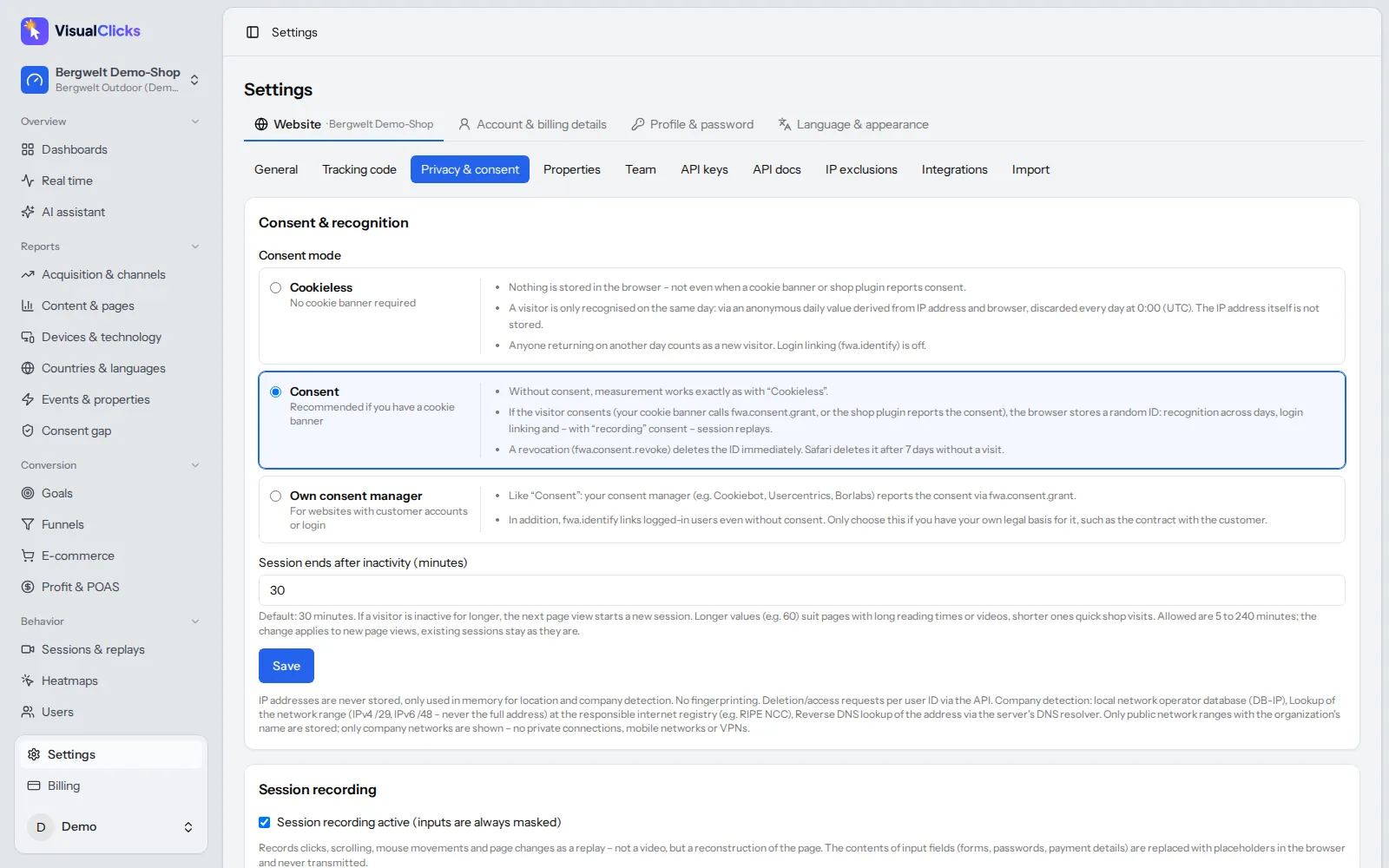
Cookieless by default. In cookieless mode, VisualClicks stores nothing on your visitors' devices. Visitors are recognised only within one day via a daily-rotating anonymous hash of IP and browser, and the IP address itself is never stored. This mode is designed to work without a cookie banner. The details are on our privacy-friendly tracking page.
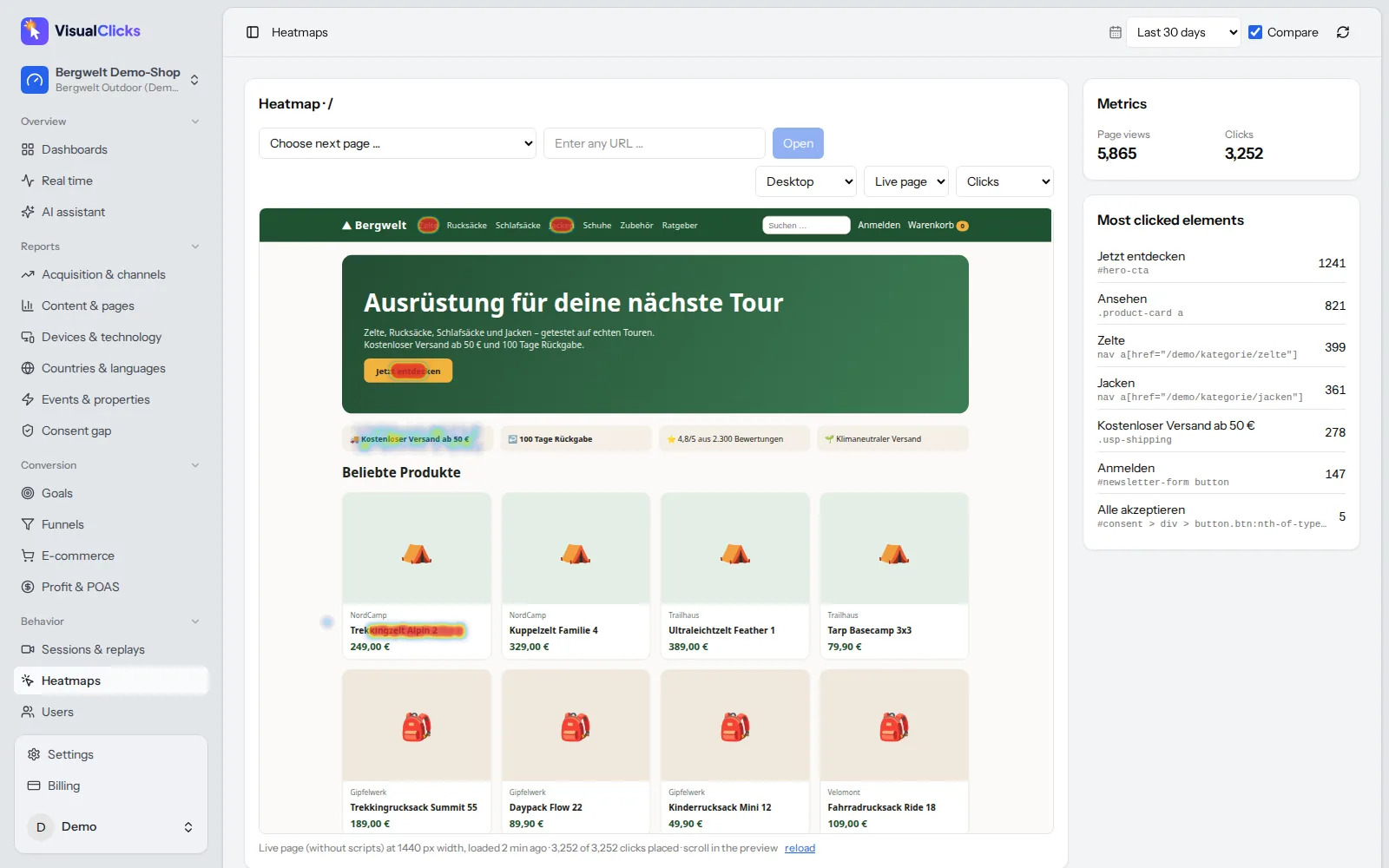
Heatmaps on the live page. VisualClicks click and scroll heatmaps are drawn on a live copy of your page rather than an old screenshot. Clicks are anchored to the element, so they stay correct across screen widths – split by desktop, tablet and smartphone, with a list of the most clicked elements.
Session replays with consent. Replays reconstruct the page (no video) and always mask inputs. As with Clarity, recordings run only with consent by default. Rage clicks are detected, sessions can be sorted by frustration, and inactivity is skipped.
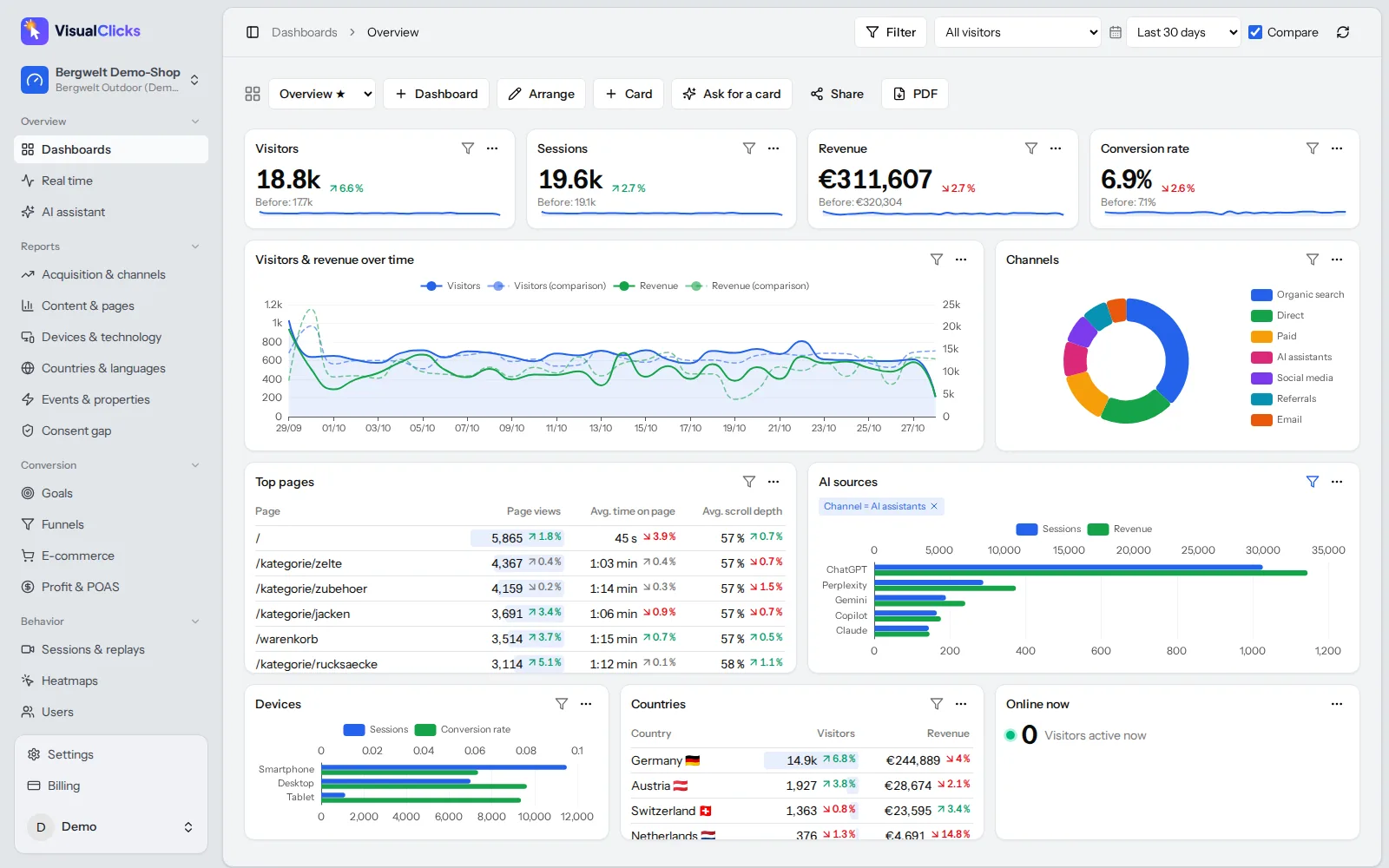
See your consent gap. The "consent gap" report shows how many visits, orders and how much revenue you only see because of cookieless measurement – the data a consent-only setup would miss.
Connect behavior to revenue. With e-commerce analytics you see missed purchases and cart abandonment by product, channel and device, and jump from a funnel drop-off straight into the matching replays. Plugins for Shopware 6, WooCommerce, PrestaShop and Magento 2 send cart and order data server-side.
You can try VisualClicks free for 7 days without a credit card; plans start at €29 per month.
Conclusion
Microsoft Clarity is free, has no traffic limits and delivers solid heatmaps, recordings and AI summaries. For visitors from the EEA, UK and Switzerland, though, the full feature set depends on consent, a correctly wired banner and a privacy notice that covers Microsoft and the US transfer. Without consent you get a limited mode whose lawfulness you still need to assess.
If that works for you, set up consent mode carefully. If you would rather measure without a banner, keep data in Germany and connect behavior with revenue, a cookieless tool like VisualClicks is the more direct route.
Frequently asked questions
What is Microsoft Clarity used for?
Microsoft Clarity is used to understand how visitors behave on a website. It provides session recordings, click and scroll heatmaps, automatic insights such as rage and dead clicks, and AI summaries through Copilot. It is typically used for UX and conversion optimisation rather than traffic or revenue reporting.
Is Microsoft Clarity free?
Yes. Microsoft offers Clarity free of charge with no paid tier, no traffic limits and no sampling. Recordings are kept for 30 days by default, while favourited recordings and a random sample are kept for up to 9 months.
Is Microsoft Clarity GDPR compliant?
Clarity can be used in a GDPR-compliant way, but it takes work. With cookies, you need prior consent for EU visitors, a correctly connected consent banner and a privacy notice that names Microsoft and the US transfer. Whether no-consent mode can run without consent should be checked with your data protection officer.
Does Microsoft Clarity require cookie consent?
For visitors from the EEA, UK and Switzerland, Clarity has required a valid consent signal for full functionality since 31 October 2025. Its cookies are described by Microsoft as non-essential, which under ePrivacy rules means consent is needed before they are set.
What happens in Clarity when a visitor declines cookies?
Clarity switches to no-consent mode. It sets no cookies and assigns a unique ID to each page view, so multi-page sessions and returning-visitor recognition are no longer available for that visitor.
More articles
 Privacy
Google Analytics Alternative: 5 Tools Compared on the Facts
Why teams leave Google Analytics, what GDPR requires, how cookieless analytics works – and how GA4, Matomo, Plausible, Fathom and VisualClicks compare on verifiable facts.
Read more →
 AI visibility
Generative Engine Optimization: How to Get Cited by AI
How AI assistants choose their sources, the seven levers that get you cited, and the tools you need to measure AI visibility on three levels.
Read more →
 Web analytics
What Are UTM Parameters? Meaning, Examples and How to Use Them
What UTM parameters mean, how to build and name UTM links step by step and how to read them in Google Analytics – with a builder template, AI traffic tips and common mistakes.
Read more →
See your website through new eyes
Request your access. After that, one line of tracking code is all it takes – the first visits show up in real time.