
VisualClicks for Shopware – e-commerce tracking in two minutes
One plugin, one API token, done. Page views, heatmaps and replays as usual – plus cart, purchases and refunds straight from Shopware, even when ad blockers are around.
Version 1.0.1 · ZIP, 25 KB · for Shopware 6.6 & 6.7 · free
Storefront: Mein Shop (vc_…) · shop.example
  consent cookieless · e-commerce yes · server events on

// add_to_cart     SW-1042  ×1   49,90 €
// update_cart     SW-1042  1 → 3  (+2)
// purchase        #10031   149,70 €
What the plugin tracks
Tracking added automatically
No code in the theme: the plugin adds the tracking tag itself. Page views, clicks, scroll depth, heatmaps and session replays work right away.
Cart with every quantity change
Add, change quantity (1 → 3 items counts as +2), remove, empty – reported by Shopware itself, not by the browser.
Purchases, cancellations and refunds
Every order with order number, net, tax, shipping, coupon, payment and shipping method. A cancellation or refund reduces revenue – once per order.
Product data as in the shop
Product number, name, manufacturer, category path and variant – for reports by product, category and brand.
Cookie manager included
Without consent VisualClicks measures cookieless. “VisualClicks” appears under “Statistics” in the Shopware cookie manager – with consent, recognition and replays are added.
Fail-safe
Data is sent after the page has been delivered. If VisualClicks is ever unreachable, the shop keeps running unchanged.
See which cart value is left behind
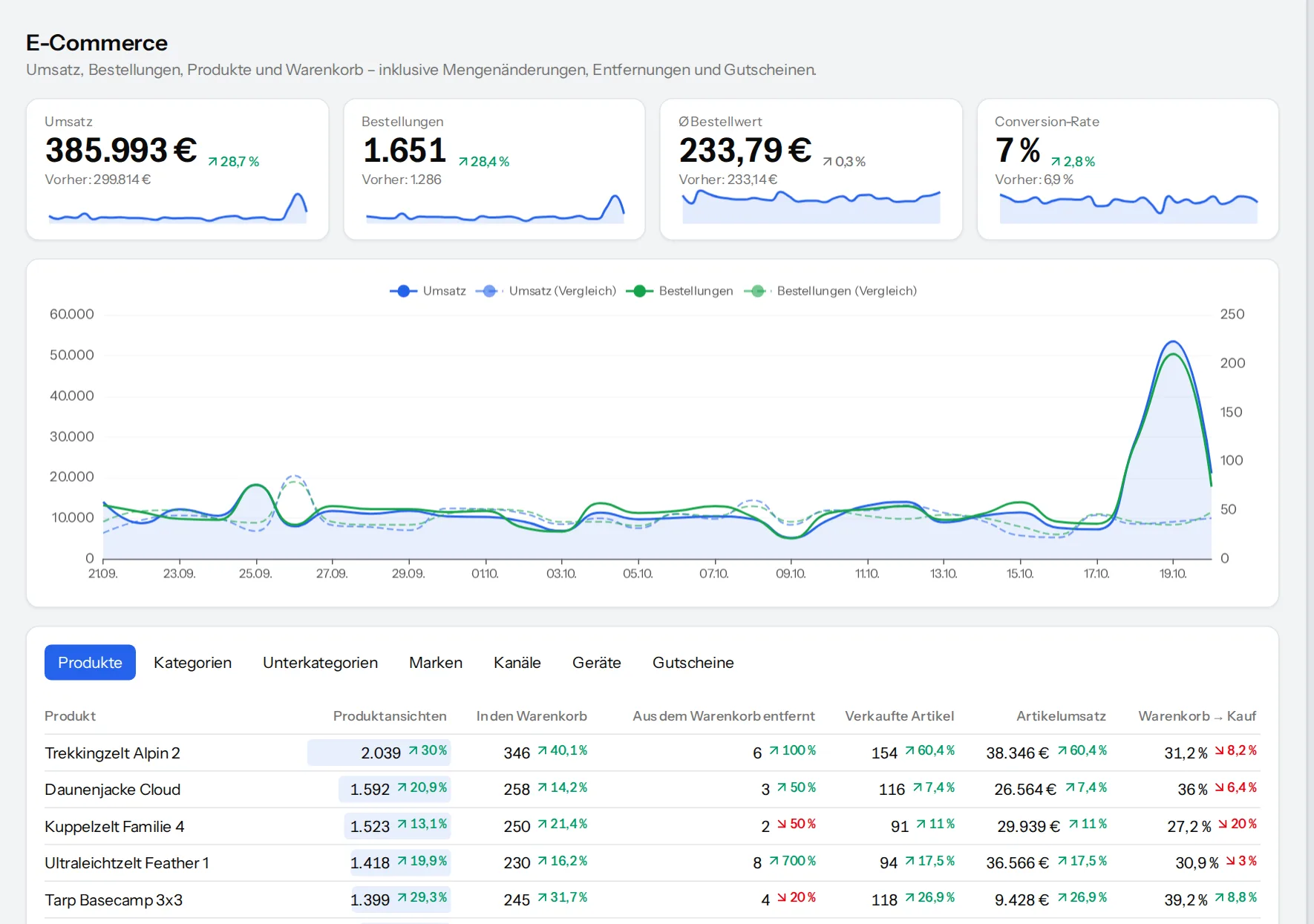
Because every cart change arrives, VisualClicks shows the missed purchases: goods value, number of items and abandonment rate – by product, channel and device. So you see which products and sources lose revenue.
- Missed revenue and missed items per period
- Cart abandonment by channel – also for visitors from ChatGPT & co.
- Purchase funnel from product to payment
Set up in four steps
-
1
Upload the plugin
In Shopware under Extensions → My extensions → “Upload extension”, then install and activate it.
-
2
Create an API key
In VisualClicks under Settings → Website → API keys, create a key with the right “Send events”.
-
3
Enter the token
Paste it as API token in the plugin configuration – per sales channel if you have several.
-
4
Clear the cache
Done. The plugin fetches the site ID itself; check everything with bin/console visualclicks:check.
Frequently asked questions
Which Shopware versions are supported?
Shopware 6.6 and 6.7. Shopware 6.5 no longer receives security updates and is therefore not supported.
Does the plugin cost anything?
The plugin is free. You need a VisualClicks account; e-commerce reports are included from the Medium plan (as an add-on for Small) and in the 7-day trial.
Do I need a cookie banner for it?
No. Without consent VisualClicks measures cookieless, including cart and purchases. With consent in the Shopware cookie manager, returning visitors are recognised and sessions recorded.
What about ad blockers?
Shopware reports cart, purchases and refunds directly to VisualClicks – they are not lost. Only page views and heatmaps depend on the browser.
Are orders counted twice?
No. Purchases are matched by order number; an order always counts only once.