
Do I Need a Cookie Banner? Cookie Consent Requirements
Do I need a cookie banner? Learn the EU cookie consent requirements, which tools need consent and when cookieless analytics works without one.
Do I need a cookie banner? If your website has visitors from the European Union, the honest answer is: you need consent whenever you store information on a visitor's device, or read information from it, and that is not strictly necessary for the service they asked for. The banner is simply the usual way to collect that consent. This guide walks through the cookie consent requirements of the ePrivacy Directive and the GDPR, shows which cookies and tools need consent, explains what a valid banner looks like, and clarifies when analytics without a cookie banner is actually possible.
Note: this article describes the legal situation to the best of our knowledge but is not legal advice. Rules differ between countries; check your specific setup with your data protection officer or a lawyer.
Do I need a cookie banner? The short answer
You need consent – and in practice a cookie banner – if at least one of these happens on your site:
- Cookies, local storage or similar storage are set that are not strictly necessary (analytics, marketing, A/B testing, session recording).
- Information is read from the device without being strictly necessary, for example for fingerprinting.
- Third-party services do this on your behalf: ad pixels, embedded videos, social media widgets.
You don't need ePrivacy consent if you only use strictly necessary storage – shopping cart, login session, language preference, the stored consent choice itself – or if your tools don't store or read anything on the device at all. Either way, the GDPR still requires a legal basis for processing personal data and a privacy notice.
This guide focuses on the EU. Outside Europe, requirements vary widely, and many jurisdictions work with opt-out rather than opt-in models.
Cookie consent requirements under EU law
Article 5(3) of the ePrivacy Directive
The core rule comes from Article 5(3) of the ePrivacy Directive, which every EU member state has implemented in national law (in Germany, for example, § 25 TDDDG). In essence:
- Storing information on a user's terminal equipment, or gaining access to information already stored there, is only allowed with the user's consent, based on clear and comprehensive information.
- The exceptions are narrow: storage or access for the sole purpose of transmitting a communication, or where it is strictly necessary to provide a service the user explicitly requested.
The rule applies whether or not personal data is involved. It is about access to the device itself – cookies, local storage, session storage or device properties that are read out.
How ePrivacy and the GDPR work together
Think of it as two layers:
- Device access (ePrivacy): May I store or read something? If it isn't strictly necessary, only with consent.
- Data processing (GDPR): May I process the data I collected? You need a legal basis under Art. 6 GDPR, such as consent or legitimate interests.
GDPR cookie consent itself must meet the GDPR's definition of consent: freely given, specific, informed and unambiguous (Art. 4(11) and Art. 7 GDPR). Analytics without a cookie banner is therefore only possible if layer 1 is not triggered at all and a different legal basis covers layer 2.
EDPB Guidelines 2/2023: it is not only about cookies
In October 2024 the European Data Protection Board adopted the final version of its Guidelines 2/2023 on the technical scope of Art. 5(3). The key message: the rule is technology-neutral. The guidelines explicitly cover tracking pixels, URL tracking, local processing on the device and, in certain set-ups, even tracking based only on IP addresses. Replacing cookies with local storage or fingerprinting does not get you out of the consent requirement.
Which cookies and tools need consent?
The table shows typical cases. It is a guide, not a substitute for checking your own setup.
| Technology | Consent under Art. 5(3)? | Note |
|---|---|---|
| Shopping cart cookie | no | strictly necessary for the requested service |
| Login / session cookie | no | strictly necessary |
| Storing the consent choice | no | needed to respect the choice |
| Analytics cookies (e.g. Google Analytics, Matomo with cookies) | yes | not strictly necessary |
| Session recording and heatmap tools with cookies | yes | e.g. Microsoft Clarity, Hotjar |
| Advertising and conversion pixels (Meta, Google Ads, TikTok) | yes | device access for marketing |
| Fingerprinting via device properties | yes | reading information from the device |
| Third-party embeds (videos, maps, social plugins) | usually yes | depends on what the provider stores or reads |
| Analytics with no storage and no reading on the device | widely considered no | GDPR legal basis still required |
If you use Microsoft's free behavior analytics tool, our guide to Microsoft Clarity and the GDPR explains its consent mode in detail.
What a valid cookie banner must do
When you need consent, the GDPR standard applies. In practice that means:
- Before, not after: consent-based cookies and scripts must not load until the visitor agrees. A banner that only informs while tracking already runs is not enough.
- Active choice: pre-ticked boxes are not consent – the Court of Justice of the EU confirmed this in its 2019 Planet49 ruling. Scrolling or continuing to browse doesn't count either.
- Reject as easy as accept: "Reject all" should be on the same layer and as prominent as "Accept all". Several EU data protection authorities treat hidden reject options as invalid design.
- Informed: purposes, providers, retention and recipients must be explained in plain language.
- Granular: different purposes (statistics, marketing, external media) should be selectable separately.
- Withdrawable: withdrawing must be as easy as giving consent, for example through a permanent "Cookie settings" link.
- Provable: you must be able to demonstrate that consent was given.
The cost of a cookie banner
A correct banner affects your data: every visitor who declines or ignores it is missing from consent-based analytics. How large that share is depends heavily on audience, sector and banner design, so generic numbers won't help you. You will see your own figure as soon as you run a consent-free measurement alongside.
Cookieless analytics: what works without a banner?
Analytics without a cookie banner is possible when the tool stores nothing on the device and reads nothing from it beyond what is strictly necessary, and when the processing that follows rests on a solid legal basis – usually legitimate interests under Art. 6(1)(f) GDPR, with a data-minimising implementation.
Common technical approaches:
- Server log analysis: only uses what is sent to the server with every request anyway. Data quality is limited (bots, no interactions).
- Aggregated counting without recognition: each page view is counted on its own, without linking visitors.
- Short-lived server-side identifiers: visitors are recognised only for a short period, for example through a daily-rotating hash computed on the server rather than stored on the device.
Cookieless does not automatically mean consent-free
"Cookieless" is a marketing term, not a legal one. Whether a tool can run without consent depends on how it works without cookies. Check these points:
- Local storage, session storage, IndexedDB: using them is storage on the device, just like a cookie.
- Fingerprinting: reading screen resolution, installed fonts, canvas values or similar to recognise visitors falls under Art. 5(3).
- Recognition period: the longer a visitor is recognised, the heavier the impact in the GDPR balancing test.
- IP address: is it stored, truncated or only processed transiently?
- Data sharing: where are the servers, and does data go to third parties or third countries?
- Extra features: session recordings, login linking or cross-device analysis usually go beyond what is defensible without consent.
So a tool can run consent-free in its basic configuration and still require consent for individual features. Trustworthy vendors make that distinction transparent.
Checklist: does my website need a cookie banner?
- List every script, pixel and embed on your site (browser developer tools, "Network" and "Application" tabs).
- Check for each whether it sets cookies or other storage, or reads device information.
- Mark what is strictly necessary (cart, login, security).
- For everything else: collect consent – or choose a tool that doesn't access the device.
- Update your privacy notice with every service and its legal basis.
If nothing is left after step 4, your website may not need a cookie banner. Often it isn't analytics that forces one, but a single ad pixel or an embedded video.
How VisualClicks enables analytics without a cookie banner
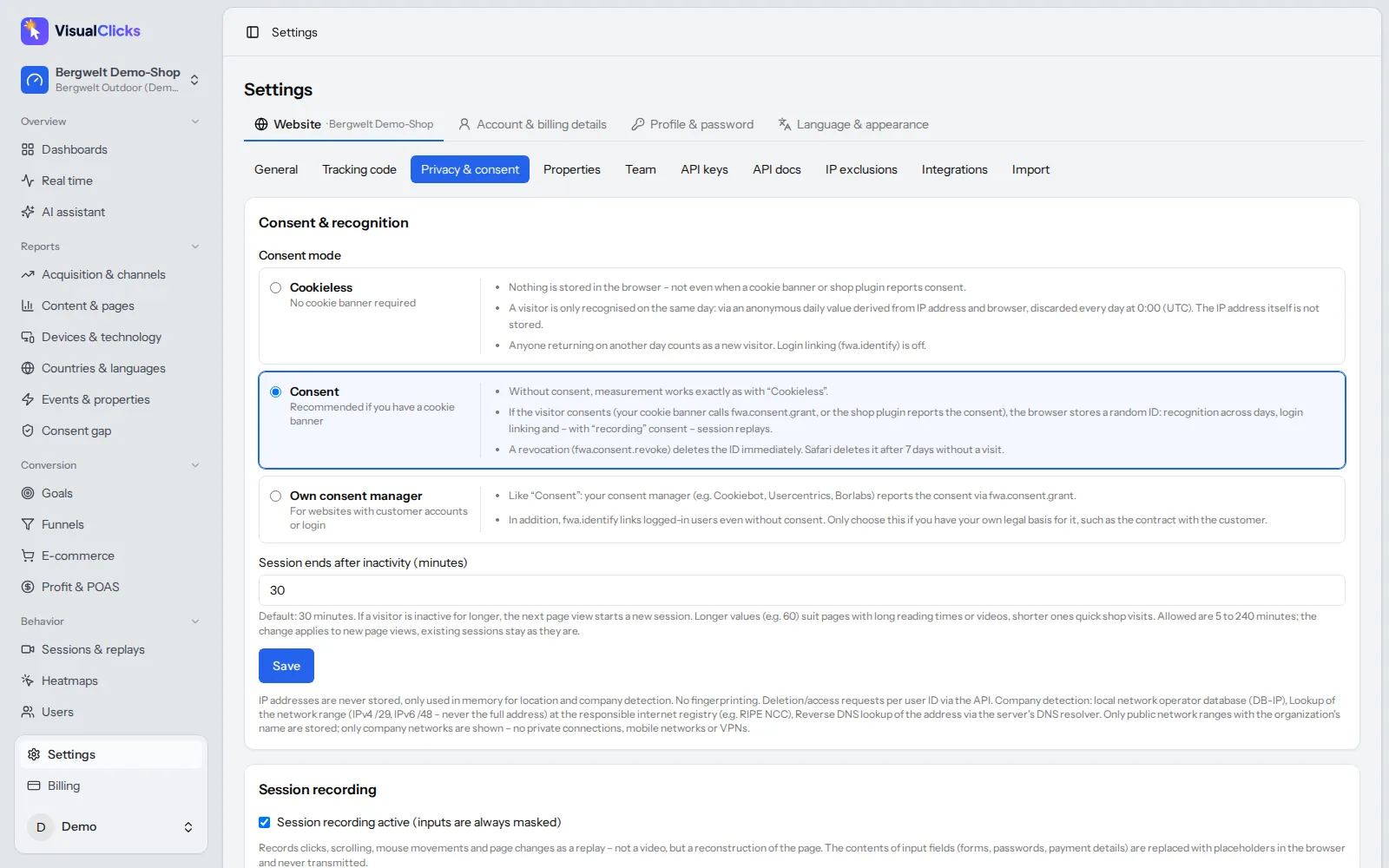
VisualClicks measures in cookieless mode by default, designed so that no cookie banner is needed for it:
- Nothing on the device: no cookies and no other storage are created on your visitors' devices.
- Recognition within one day only: visits are grouped through a daily-rotating anonymous hash of IP and browser. The next day, the same visitor can no longer be linked.
- IP address never stored: the IP only feeds into the hash and is never saved itself.
- Hosted in Germany, with a lightweight tracking script of around 5 KB.
Where consent is useful or required, consent mode recognises visitors across days, links logins and records session replays once visitors agree. With own consent manager you connect your existing banner. The consent gap report shows how many visits, orders and how much revenue you only see thanks to cookieless measurement.
All metrics – sources and channels, pages, devices, conversion goals – live in web analytics, and the technical details are on our privacy-friendly tracking page. Whether your whole site works without a banner still depends on the other services you use. You can try VisualClicks free for 7 days without a credit card; plans start at €29 per month.
Conclusion
There is no rule that literally says "show a cookie banner", but there is a consent requirement for every non-essential access to a visitor's device under Art. 5(3) ePrivacy. The EDPB's Guidelines 2/2023 make clear that this goes well beyond cookies. Cookieless analytics without a banner is possible when the tool stores and reads nothing on the device, recognises visitors only briefly and doesn't store IP addresses – the label "cookieless" alone proves nothing. Review your site service by service, then decide whether you need a banner or can avoid one with the right tools.
Frequently asked questions
Do I need a cookie banner if I only use necessary cookies?
No consent is required for strictly necessary cookies, such as those for the shopping cart, login or storing the consent choice. You still need to explain them in your privacy notice. As soon as you add analytics, marketing or third-party embeds that store or read data on the device, consent is required.
Is a cookie banner required by the GDPR?
The obligation mainly comes from Art. 5(3) of the ePrivacy Directive and its national implementations, which require consent for non-essential device access. The GDPR then defines what valid consent looks like and governs the processing of personal data. A banner is the usual way to meet both.
Can I use analytics without a cookie banner?
Yes, if the analytics tool stores nothing on the device and reads nothing from it beyond what is strictly necessary, and the processing rests on a GDPR legal basis such as legitimate interests. Tools that switch from cookies to local storage or fingerprinting still need consent.
Does a cookie banner need a reject button?
Rejecting must be as easy as accepting. Many EU data protection authorities consider banners invalid if "Reject all" is missing or hidden on a second layer. A reject button on the first layer, equally prominent to accept, is the safe approach.
Is cookieless tracking GDPR compliant?
It can be, but the label alone proves nothing. Check whether the tool uses other device storage, fingerprinting, long-lived identifiers or stores IP addresses. Only a setup without device access, with short recognition periods and data minimisation, can usually run without consent.
More articles
 Privacy
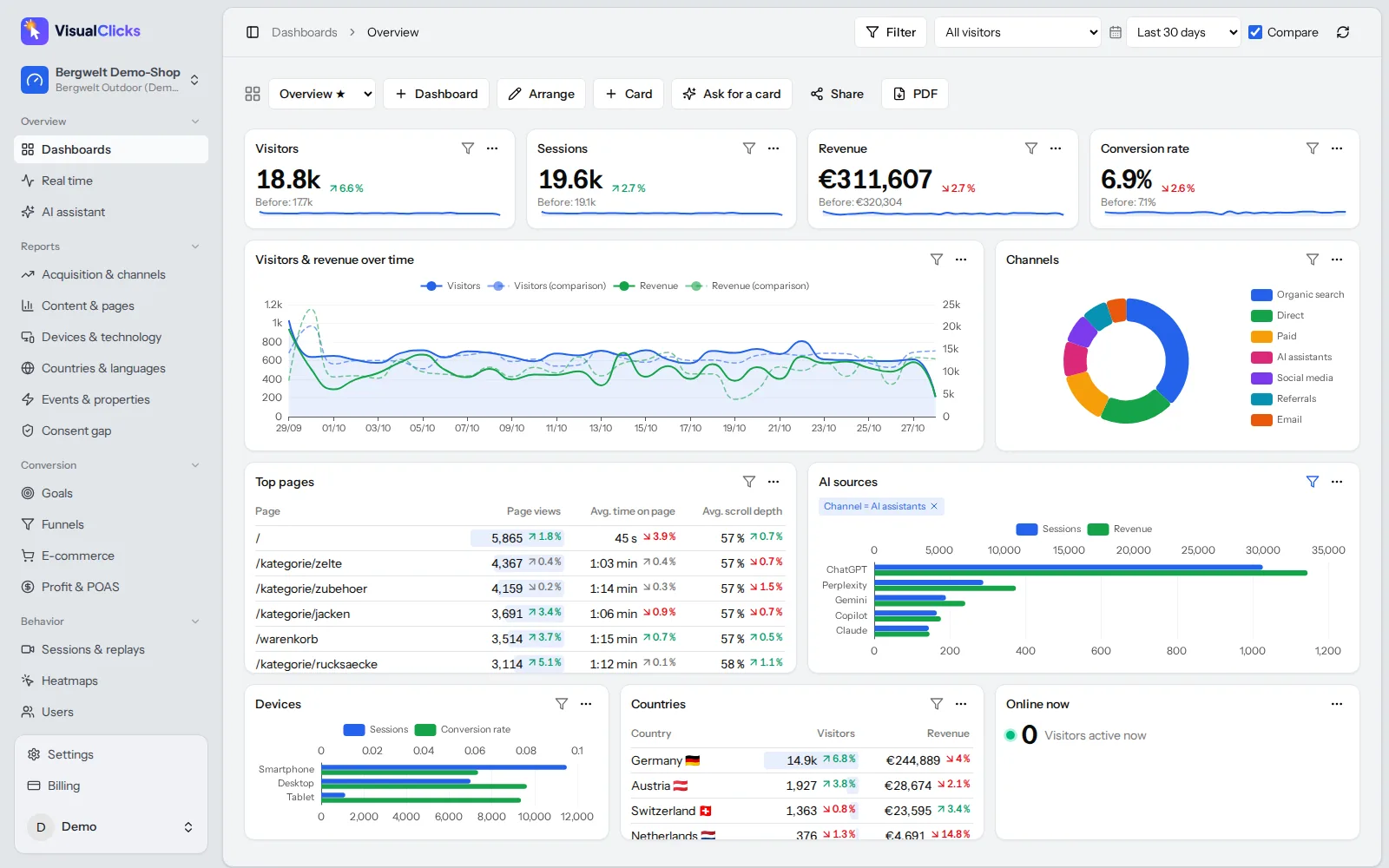
Google Analytics Alternative: 5 Tools Compared on the Facts
Why teams leave Google Analytics, what GDPR requires, how cookieless analytics works – and how GA4, Matomo, Plausible, Fathom and VisualClicks compare on verifiable facts.
Read more →
 Privacy
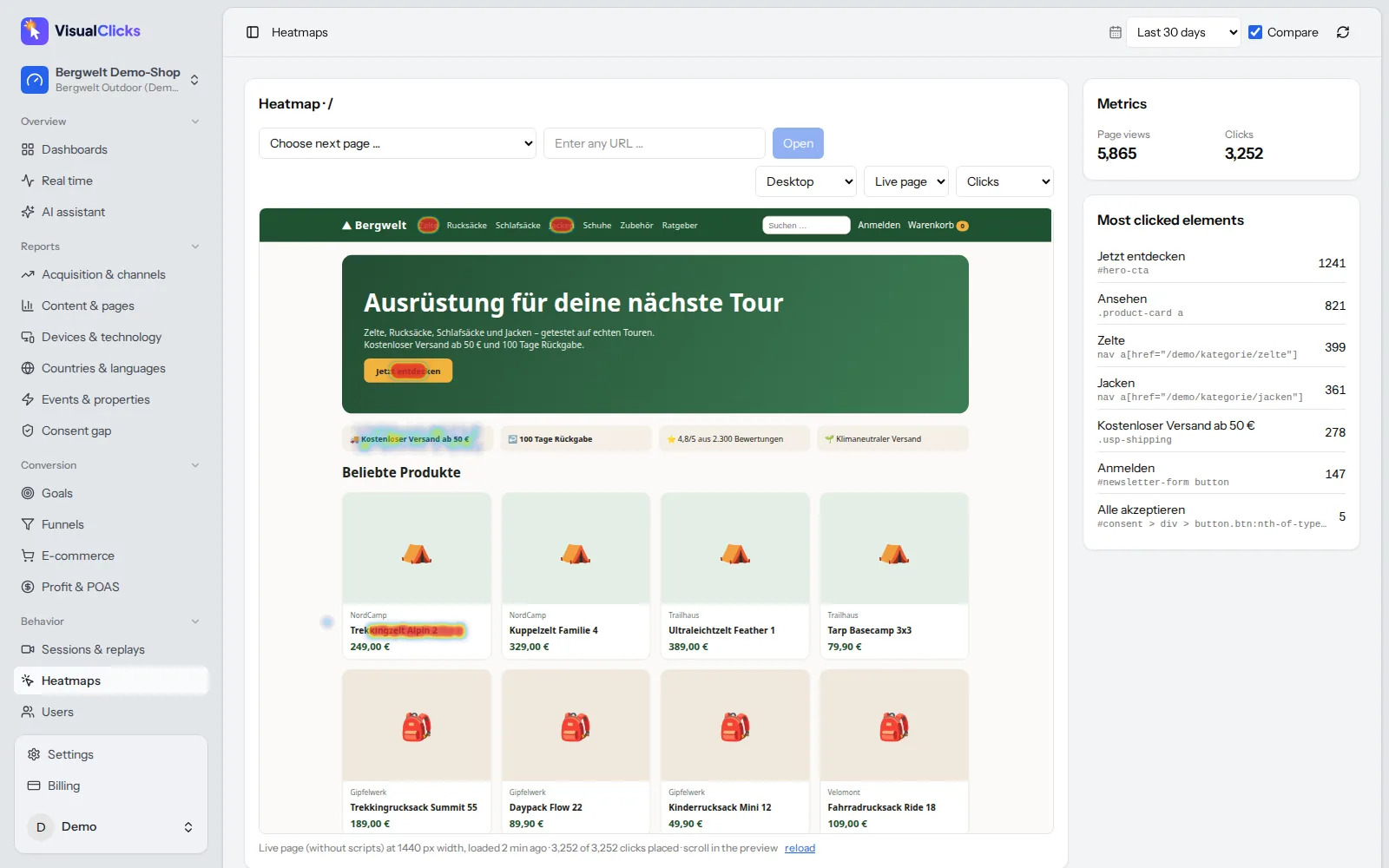
What Is Microsoft Clarity? Features, Heatmaps and GDPR
What Microsoft Clarity does, how its heatmaps and recordings work, which cookies it sets and what its consent mode requires for EU visitors.
Read more →
Conversion
Website Heatmap: How to Read Click and Scroll Heatmaps
Heatmaps show where visitors click and how far they scroll. Learn how to read a heatmap correctly, avoid common mistakes and find real problems.
Read more →
See your website through new eyes
Request your access. After that, one line of tracking code is all it takes – the first visits show up in real time.